


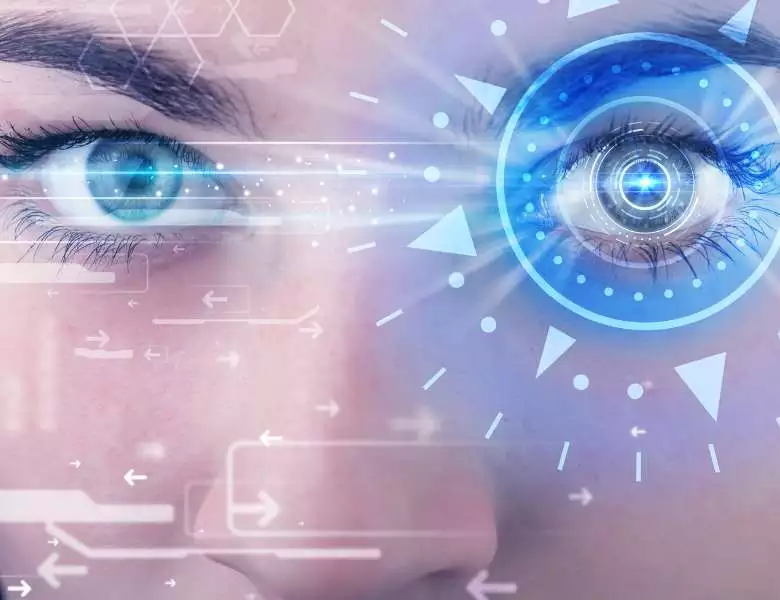
NVIDIA Eye Contact is a real-time AI feature inside NVIDIA Broadcast that uses deep learning gaze estimation to redirect your eyes toward the camera — so viewers see natural eye contact even when you read notes, glance at a second monitor, or look at your chat feed. It is free for any NVIDIA GeForce RTX GPU owner (RTX 2060 or newer) and works with any webcam.
Quick answer: NVIDIA Eye Contact software uses AI to detect your real gaze direction and warp your iris toward the camera lens in real time. It runs inside NVIDIA Broadcast, requires an RTX GPU, preserves natural blinking, and works across OBS, Zoom, Teams, Discord, and Google Meet — with no subscription and no cloud processing.
What Is NVIDIA Eye Contact Software?
NVIDIA Eye Contact is a specific AI feature inside NVIDIA Broadcast — a free AI-powered streaming and video conferencing application. First introduced in Broadcast version 1.4 (late 2022), Eye Contact has been refined through NVIDIA Broadcast 2.0 (2024) and later updates, which improved gaze accuracy, reduced the artificial look on wide-angle glances, and added support for RTX 40 and RTX 50 series (Blackwell) GPUs.
The feature solves a genuine problem: content creators, remote workers, and presenters instinctively look at their notes, script, or second monitor rather than directly into the camera. This breaks eye contact with the audience. NVIDIA Broadcast corrects this in real time, requiring no manual calibration and no physical teleprompter.
What Is NVIDIA Broadcast Software?
NVIDIA Broadcast is the full AI studio application that contains Eye Contact alongside several other real-time enhancement features. All AI processing runs locally on your RTX GPU — no cloud upload, no latency from server round-trips, no usage fees. The complete feature set in 2026 includes:
- Eye Contact — AI gaze redirection toward the camera lens in real time
- Noise Removal — AI microphone filtering that eliminates keyboard clicks, fan noise, and ambient room sounds
- Background Removal / Replacement — Virtual green screen with no physical green screen required
- Auto Frame — Automatically pans and zooms to keep your face centered as you move
- Studio Voice — Enhances microphone audio to sound like a professional condenser mic
- Virtual Background — Replaces your background with custom images or video loops
- Vignette — Subtle aesthetic overlay that darkens frame edges, similar to a cinema lens effect
How NVIDIA’s Live Streaming Eye Contact Feature Works
Eye Contact uses a two-step AI pipeline: gaze estimation (where are your eyes pointing?) followed by iris warping (rendering your eyes directed at the camera). The model processes each video frame, calculates the angular offset between your actual gaze vector and the camera lens, then renders the corrected version in real time.
Key behavioral details that matter in practice:
- Lock strength slider: Adjusts how aggressively Eye Contact engages. Lower settings let minor glances show through naturally; higher settings maintain camera-directed gaze even at wider angles.
- Disconnect threshold: If you look too far away (such as turning your head fully), Broadcast smoothly transitions back to your real gaze direction rather than producing an unnatural snap effect.
- Natural blinking preserved: The feature only redirects the iris; your actual blink timing, rate, and pupil dilation are preserved.
- GPU load: On an RTX 4070 at 1080p/30fps, Eye Contact adds roughly 5–8% additional GPU utilization. Running it simultaneously with Noise Removal is feasible on RTX 40 series and above.
NVIDIA Broadcast GPU Requirements (2026)
NVIDIA Broadcast requires a GeForce RTX GPU. AMD Radeon and Intel Arc GPUs are not supported. Supported card families as of NVIDIA Broadcast 2.1:
- RTX 2060 / 2070 / 2080 series (Turing)
- RTX 3060 / 3070 / 3080 / 3090 series (Ampere)
- RTX 4060 / 4070 / 4080 / 4090 series (Ada Lovelace)
- RTX 5070 / 5080 / 5090 series (Blackwell, added 2025)
Laptop RTX variants (RTX 2060 Max-Q and above) are supported. NVIDIA Broadcast is a free download from NVIDIA’s website — there is no subscription and no per-feature cost beyond owning an RTX GPU.
NVIDIA Eye Contact vs. Competitors in 2026
NVIDIA is no longer the only option for AI gaze correction. Zoom 6.x includes a basic eye contact feature for Mac (Apple Silicon, enabled by the Neural Engine). Microsoft Teams has a similar “Eye Contact” feature on Mac. Apple’s FaceTime uses the same Neural Engine-based correction on iPhone and Mac.
The key difference is platform scope. NVIDIA Broadcast works with any webcam, any streaming or calling app (OBS, Streamlabs, Discord, Zoom, Teams, Google Meet, Twitch Studio), on any Windows PC with an RTX card. You are not locked to a specific meeting app or Apple hardware. For live streamers using OBS, NVIDIA Broadcast is still the only production-grade solution — neither Teams nor Zoom exposes eye contact as a virtual camera effect that OBS can consume.
For video creators looking to complete their production setup, see our guides to the best video editing software for YouTubers and best video editors for filmmakers — both cover GPU-accelerated rendering that pairs well with an RTX card already running Broadcast.


