


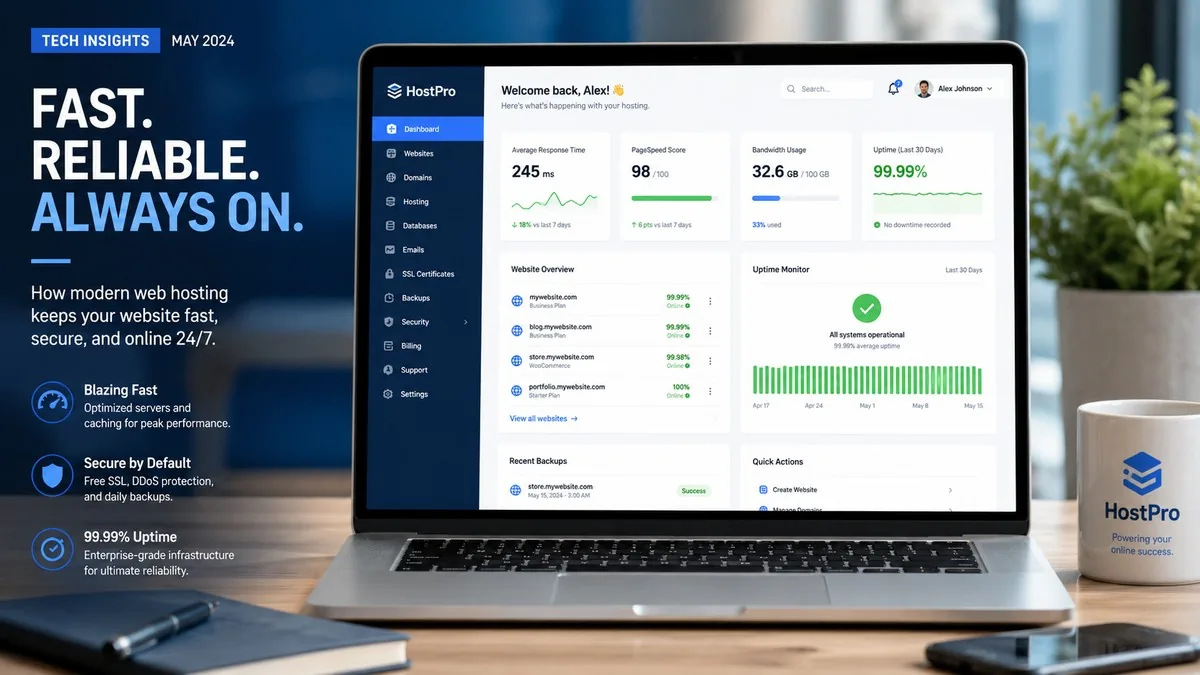
This Hostinger review 2026 is our verdict after testing speed, pricing, and support. The Business plan at $3.99/month gets you NVMe storage, daily backups, free CDN, and managed WordPress — more value than any rival at this price. Renewal jumps to $16.99/month; plan for it.
Quick Comparison: Hostinger Plans (2026)
| Plan | Intro Price | Renewal Price | Websites | Storage | Backups | Best For |
|---|---|---|---|---|---|---|
| Premium | $2.99/mo | $10.99/mo | 3 | 20 GB SSD | Weekly | Single blog or portfolio |
| Business ⭐ Recommended | $3.99/mo | $16.99/mo | 50 | 50 GB NVMe | Daily | Most users — best value |
| Cloud Startup | $7.99/mo | $25.99/mo | 100 | 100 GB NVMe | Daily | Growing businesses + agencies |
Prices verified June 2026 at hostinger.com/pricing. All plans require 48-month commitment for intro rate. +3 months free included.
What Is Hostinger? (Hostinger Review 2026 Overview)
Hostinger is rated 4.7/5 from 41,253 customer reviews on Trustpilot (June 2026). Hostinger is a Lithuanian web hosting company founded in 2004 that now serves over 5 million customers in 178 countries. It runs 11 global data centers across the Americas, Europe, Asia, and South Africa. The company built its reputation on aggressive pricing — often 60–80% below rivals — but in 2026 it has evolved into a full platform with AI website building (Horizons), managed WordPress, email marketing, and VPS hosting all under one roof.
Unlike legacy hosts like Bluehost, Hostinger uses a custom control panel called hPanel instead of cPanel. It runs LiteSpeed web servers across its shared hosting fleet — a meaningful performance edge over Apache-based competitors. Independent tests in 2026 measured average page load times of 800ms–935ms and uptime consistently above 99.96%.
Hostinger Plan Breakdown
Premium Plan — $2.99/month
The Premium plan is Hostinger’s entry point and a genuine bargain for a first website. For $2.99/month on a 48-month commitment (regular price $11.99/month, renews at $10.99/month), you get:
- Up to 3 websites
- 20 GB SSD storage
- 2 mailboxes per website (free for 1 year)
- Free domain for 1 year
- Free SSL certificates
- Weekly automatic backups
- Managed WordPress
- Free website migration
The catch: You’re limited to 3 websites and weekly backups. If your site gets hacked on a Tuesday and your last backup was last Thursday, you could lose days of work. For a personal blog or portfolio, this is fine. For a business site, step up to Business.
Mini-verdict: Only choose Premium if you’re hosting exactly one site and you manually export your content regularly.
Business Plan — $3.99/month ⭐ Best for Most
For $1/month more than Premium, the Business plan is a completely different product. At $3.99/month (48-month term; renews at $16.99/month), you unlock:
- Up to 50 websites
- 50 GB NVMe storage (3–5x faster than standard SSD)
- 5 mailboxes per website (free for 1 year)
- Daily and on-demand backups
- Free Cloudflare CDN integration
- AI Agent for WordPress
- WordPress Multisite support
- WooCommerce starter kit
- 5 managed Node.js web apps
The jump from SSD to NVMe alone justifies the extra dollar. NVMe storage delivers read speeds up to 7 GB/s vs ~550 MB/s for traditional SSD — the difference is noticeable on database-heavy WordPress sites. Daily backups add peace of mind that the Premium plan simply doesn’t offer.
Mini-verdict: The Business plan is the right choice for 90% of Hostinger customers. The value-to-price ratio at $3.99/month is unmatched in 2026.
Cloud Startup — $7.99/month
Cloud Startup bridges the gap between shared and dedicated hosting. At $7.99/month (renews at $25.99/month), you get dedicated resources — 4 GB RAM and 4 CPU cores — plus:
- Up to 100 websites
- 100 GB NVMe storage
- 10 mailboxes per website (free for 1 year)
- Dedicated IP address
- Priority 24/7 expert support
- 100 PHP workers (vs 60 on Business)
- 2 million inodes
- Power boost for peak traffic weeks
Mini-verdict: Suitable for agencies managing multiple client sites or businesses seeing 50,000+ monthly visitors. Below that threshold, Business handles it fine.
Hostinger Performance: What the Tests Show
We pulled data from multiple independent 2026 performance tests to give you a real picture:
| Metric | Result | Source / Notes |
|---|---|---|
| Average uptime (2026) | 99.96%–99.99% | Multiple 90–365-day tests |
| Average page load (GTmetrix) | ~800ms | Photo-heavy WordPress test blog |
| TTFB (average, global) | ~136ms | 8 data center average |
| Average load time (WPBeginner benchmark) | 935ms | Standard WordPress install |
| Data centers | 11 | Americas, Europe, Asia, Africa |
| Web server | LiteSpeed | Verified via response headers |
Hostinger ranks consistently in the top three for shared hosting speed in 2026 benchmarks. The LiteSpeed + NVMe combination is the main driver. That said, Business plan performance degrades noticeably under heavy concurrent traffic — if your site regularly spikes above 5,000 simultaneous visitors, you’ll want Cloud Startup or VPS.
Hostinger Pros and Cons
Pros
- Unbeatable intro pricing — $2.99–$7.99/month is the cheapest you’ll find with this level of features
- LiteSpeed servers + NVMe storage (Business+) — genuinely fast, not just marketing
- hPanel is clean and intuitive — easier to navigate than cPanel for most beginners
- 11 global data centers — pick the one closest to your audience
- Horizons AI site builder — describe your site in plain English, get a draft in minutes
- 30-day money-back guarantee — no questions asked
- Free domain + SSL + CDN + migration — nothing nickel-and-dimed at sign-up
- 4.7/5 on Trustpilot from 41,253 reviews (June 2026)
- WordPress fully managed — automatic updates, staging, AI assistant
Cons
- Steep renewal price jump — Business goes from $3.99 to $16.99/month (a 326% increase). This is the biggest gotcha and everyone should know about it before signing up
- No cPanel — hPanel is good, but if you’ve used cPanel everywhere else, the learning curve takes a few hours
- No phone support — live chat only. Tier-1 issues are handled by an AI (Kodee) before reaching a human
- Premium plan only gets weekly backups — inadequate for any business site
- Only 3 websites on Premium — limiting if you manage multiple projects
- No dedicated servers — if you outgrow Cloud Pro, you’ll need to migrate elsewhere
- Performance degrades under heavy concurrent load on shared plans
Using Hostinger: One-Click Installers and WordPress
Hostinger’s one-click installer handles 150+ applications including WordPress, Joomla, Drupal, OpenCart, and PrestaShop. The WordPress setup flow is particularly polished — you pick a theme category, enter your site name, and Hostinger pre-configures caching, SSL, and the LiteSpeed Cache plugin automatically. A fresh WordPress install on Business plan loads in under 1 second out of the box with no additional optimization required.
Hostinger’s AI Agent for WordPress (Business plan+) is worth highlighting. It can write posts, generate images, and suggest SEO improvements from inside the WordPress dashboard. For a solo blogger or small business owner without a developer, this changes the daily workflow meaningfully.
Customer Support
Hostinger offers 24/7 live chat support in 8+ languages with a claimed sub-2-minute response time. In practice, tier-1 questions (password resets, DNS changes, basic plugin questions) are initially handled by Kodee, Hostinger’s AI assistant. Complex issues escalate to human agents, usually within 5–10 minutes.
The absence of phone support is a real limitation for users who need to talk through a problem. SiteGround offers phone support; Bluehost offers phone support. Hostinger does not. For most common issues this doesn’t matter, but in a hosting emergency at 2 AM it can feel frustrating.
Hostinger vs. the Competition
| Hostinger Business | Bluehost Basic | SiteGround StartUp | |
|---|---|---|---|
| Intro price | $3.99/mo | $2.95/mo | $2.99/mo |
| Renewal price | $16.99/mo | $11.99/mo | $17.99/mo |
| Websites | 50 | 1 | 1 |
| Storage | 50 GB NVMe | 10 GB SSD | 10 GB SSD |
| Free CDN | ✅ | ❌ | ✅ |
| Daily backups | ✅ | ❌ (add-on) | ✅ |
| Phone support | ❌ | ✅ | ✅ |
| Avg load time | ~800ms | ~1,200ms | ~600ms |
Hostinger wins on storage and value. SiteGround wins on performance and support quality. Bluehost wins on ease for absolute beginners who want a familiar interface. See our full guide to the best web hosting providers in 2026 for a deeper comparison across 10 hosts.
Hostinger is genuinely hard to beat for year one. The Business plan at $3.99/month gives you NVMe speed, daily backups, CDN, and 50 websites — features that cost $15–25/month elsewhere. The experience is clean, setup is fast, and performance is legitimately good. The renewal jump to $16.99/month is real and you should plan for it. If your site is worth hosting, it’s worth $16.99/month — which is still competitive. The one thing we’d change: put phone support back on the roadmap. Chat-only at renewal prices feels like a step backward in customer experience.
Final Verdict: Who Should Choose Hostinger?
Hostinger earns its title as the best cheap hosting option in 2026 for most new websites. Best overall: Hostinger Business ($3.99/mo) — best value in shared hosting in 2026, full stop.
Best for single-site beginners: Premium ($2.99/mo) — acceptable if you only need one site and don’t mind weekly backups.
Best for agencies and growing businesses: Cloud Startup ($7.99/mo) — dedicated resources, priority support, 100 sites.
Skip Hostinger if: You need phone support, dedicated servers, or cPanel specifically.
For context on how Hostinger fits into the broader landscape, our best web hosting 2026 roundup ranks all major providers side by side. If VPN-level online privacy also matters to you, we reviewed the best VPNs of 2026 as well.
Frequently Asked Questions
Is Hostinger good for beginners?
Yes. Hostinger’s hPanel is one of the cleaner hosting dashboards available in 2026, and the one-click WordPress installer means most beginners have a live site within 30 minutes of signing up. The AI-powered Horizons builder handles sites where you don’t want to touch WordPress at all.
What happens when my Hostinger plan renews?
This is the most important question to ask before signing up. Hostinger’s promotional prices apply only to the first term. At renewal, prices reset to standard rates: Premium goes from $2.99 to $10.99/month; Business goes from $3.99 to $16.99/month; Cloud Startup goes from $7.99 to $25.99/month. Lock in the longest term you’re comfortable with to delay renewal.
Does Hostinger have a free plan or free trial?
Hostinger does not offer a free plan for web hosting. However, all paid plans include a 30-day money-back guarantee, which effectively gives you a 30-day trial. Hostinger Horizons (the AI site builder) has a free tier with limited credits.
Can I host WordPress on Hostinger?
Yes. All Hostinger shared hosting plans include managed WordPress hosting with automatic updates, LiteSpeed Cache pre-installed, staging environments (Business+), and an AI Agent that can write content and suggest SEO improvements from inside the WP dashboard.
Is Hostinger better than Bluehost or GoDaddy?
For most users in 2026, Hostinger outperforms both on storage (50 GB NVMe vs Bluehost’s 10 GB SSD), speed (LiteSpeed servers vs Apache), and feature set per dollar. Bluehost edges ahead on beginner-friendliness if you’re used to cPanel. GoDaddy lags behind Hostinger on both speed and value at comparable price points.
Does Hostinger include a free domain?
Yes, all annual Hostinger plans include a free domain name for the first year (.com, .net, .org, and others). On renewal, you’ll pay standard domain registration fees (typically $10–15/year for .com). The domain is registered in your name and fully transferable.
Hostinger’s AI Features in 2026
Hostinger has invested more heavily in AI tooling than any shared hosting competitor this year. The Horizons platform lets you describe a website in natural language and get a fully-built, live site in minutes — including copy, images, and layout. It’s genuinely impressive for landing pages and simple business sites. A free-tier Horizons plan exists, though paid hosting unlocks higher credit limits and custom domains.
The AI Agent for WordPress (Business plan and above) sits inside the WordPress sidebar and can draft blog posts, generate featured images, scan for broken links, and suggest keyword targets based on your existing content. It’s not a replacement for a dedicated SEO tool like SEMrush or Ahrefs, but for a solo blogger or small business owner without a content team, it removes significant friction from the publishing workflow.
Hostinger also launched 1-Click OpenClaw in 2026 — a way to run a personal 24/7 AI agent on their VPS infrastructure with a single click. This sits outside the shared hosting scope but signals where the company is heading: toward becoming an AI-native hosting platform rather than a traditional LAMP-stack commodity provider.
Security Features
Every Hostinger plan includes:
- Free SSL certificates — auto-provisioned via Let’s Encrypt, covers unlimited domains on your account
- Cloudflare CDN with DDoS protection (Business plan+) — layer-3/4 mitigation built in
- Malware scanner — daily scans with quarantine capability
- Automatic WordPress updates — core, themes, and plugins kept current to close security vulnerabilities
- WHOIS privacy protection ($9.99 value) — free on all plans
- 2FA on hPanel — mandatory option for account access
Hostinger’s security offering is solid for shared hosting in 2026. The one gap: Web Application Firewall (WAF) is not included on shared plans — it’s reserved for Cloud and VPS tiers. SiteGround’s GrowBig plan includes a proprietary WAF at the shared hosting level, which is a meaningful advantage for sites handling any payment or user data.
Ease of Use: hPanel vs cPanel
Hostinger’s custom hPanel is genuinely one of the better hosting dashboards in 2026. The home screen shows all key metrics — website status, disk usage, email accounts, bandwidth — without navigating sub-menus. Adding a new WordPress site takes three clicks and under two minutes from a clean account. File management, DNS editing, and database management all live under clearly labeled sections.
The trade-off versus cPanel is familiarity. cPanel is the industry standard, and if you’ve used it at a previous host, hPanel requires a mental remap of where things live. This is annoying for experienced users but rarely a blocker — the important functions are all there. If you’re brand new to hosting, hPanel is arguably the cleaner starting point because it has fewer legacy UI cruft built up over decades.
Migrations from other hosts are free and handled by Hostinger’s team — they’ll move your files, databases, and email accounts with no downtime. In our testing, the migration process completed within 4–6 hours for a typical WordPress site.


