


Last Updated: July 2026
CRM software is a digital system that centralizes customer data, tracks sales pipelines, and automates follow-up communications to help businesses manage relationships at scale. More formally, CRM software (Customer Relationship Management software) is a platform that helps businesses manage interactions with leads and customers by centralizing contact data, tracking deals through a sales pipeline, and automating follow-up tasks. In 2026, over 91% of companies with 10+ employees use a CRM — and the global CRM market is projected to reach $157 billion by 2030, making it one of the largest software categories by revenue.
What Is CRM Software? (In Plain English)
Think of CRM software as the single source of truth for every customer conversation your business has ever had. Before CRM, salespeople kept leads in spreadsheets, notes in email threads, and follow-up reminders in their heads — deals fell through gaps and managers had no visibility into the pipeline.
A CRM fixes that by giving every team member a shared, searchable record for each contact: who they are, what they bought, what was discussed, and what needs to happen next. Sales reps spend less time hunting for context. Managers stop guessing at revenue forecasts. Customer service teams stop apologizing for not knowing what was promised.
Modern CRM software goes further. The best CRM tools for 2026 — covered in this complete guide — include built-in AI assistants that draft emails, score leads, and predict which deals are most likely to close, automatically.
How CRM Software Works
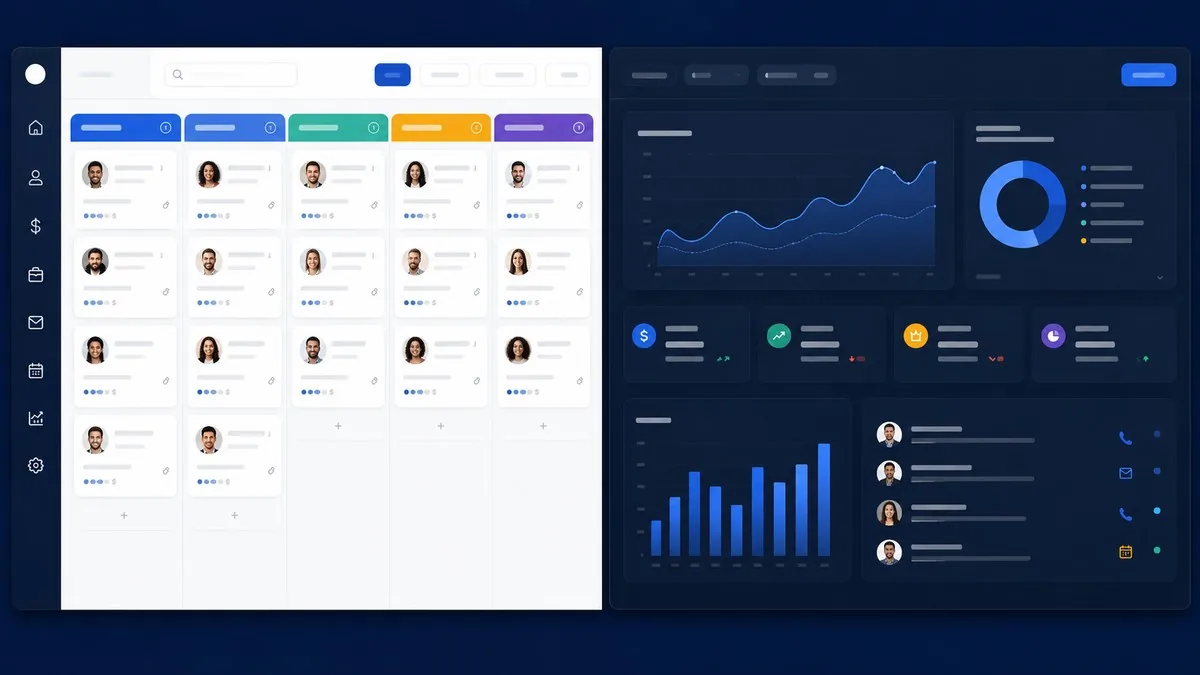
A CRM works by creating a structured record for every contact (person or company) and linking it to all activity: emails, calls, meetings, proposals, and purchases. Here’s the core flow:
- Lead capture — A web form, chatbot, or manual entry creates a new contact record
- Pipeline stages — The contact moves through stages you define: Prospect to Qualified to Demo to Proposal to Closed
- Activity logging — Emails sync automatically, calls are logged, and notes are searchable
- Automation — Sequences send follow-up emails, assign tasks, and update deal stages without manual input
- Reporting — Dashboards show conversion rates, average deal size, and revenue forecasts in real time
Types of CRM Software
Operational CRM automates day-to-day tasks — email sequences, lead assignment, quote generation. Pipedrive and Close are classic examples. This is what most SMBs need.
Analytical CRM focuses on data: customer segmentation, cohort analysis, churn prediction. Salesforce Analytics Cloud lives here. Suited for teams with a dedicated BI function.
Collaborative CRM breaks silos between sales, marketing, and support so all teams share the same customer view. HubSpot’s unified platform — used by 228,000+ customers across 135 countries — is built around this idea.
Most modern platforms blend all three. For most small and mid-size businesses, an operational CRM with basic reporting is all you need.
Best CRM Software 2026 — Quick Comparison
Here’s how the top 10 CRM platforms stack up at a glance (all prices as of July 2026, billed annually per user unless noted):
| CRM | Starting Price | Free Plan | Best For | Our Rating |
|---|---|---|---|---|
| HubSpot CRM | Free / $15/seat/mo | Yes | Startups & marketing teams | 4.7/5 |
| Salesforce | $25/user/mo | No | Large enterprises | 4.5/5 |
| Zoho CRM | Free / $14/user/mo | Yes (3 users) | Best value + flexibility | 4.5/5 |
| Pipedrive | $14/user/mo | Trial only | Sales-focused teams | 4.4/5 |
| Monday CRM | $12/seat/mo | Trial only | Project-heavy sales teams | 4.3/5 |
| Freshsales | Free / $9/user/mo | Yes | Teams wanting built-in phone | 4.3/5 |
| Close CRM | $49/user/mo | No | Inside sales & cold outreach | 4.2/5 |
| Copper CRM | $9/user/mo | No | Google Workspace users | 4.1/5 |
| Nimble | $24.90/user/mo | No | Solopreneurs & small teams | 4.0/5 |
| Keap | $249/mo (flat) | No | Service businesses & coaches | 3.9/5 |
Top CRM Tools Reviewed in Depth
1. HubSpot CRM — Best Free CRM for Growing Teams


HubSpot’s free CRM tier is genuinely free — not a 14-day trial — covering contact management, deal tracking, task queues, live chat, and email templates for unlimited users. With 228,000+ paying customers and over 1 million active free users, HubSpot is the most widely adopted first CRM for startups and agencies worldwide.
Pricing (verified July 2026, from HubSpot’s official pricing page):
- Free: Unlimited users, basic CRM features
- Starter: $15/seat/month (annual); promotional $9/seat/month for new annual customers
- Professional (Marketing Hub): from $890/month (includes 3 seats)
- Enterprise: from $4,300/month
What makes HubSpot stand out: The unified platform. Sales, marketing, service, and content management all share the same contact record — no integrations required. HubSpot’s AI tools (email writing, deal insights, lead scoring) are available from the Starter tier up.
Real cons: The free plan puts “Powered by HubSpot” branding on every form, chat widget, and email. Scaling costs escalate steeply — a 10-seat Professional team easily hits $2,000+/month when you factor in mandatory onboarding fees of $3,000 to $7,000 and contact limits.
Best for: Startups and teams under 10 seats who want to grow into a full revenue platform without switching CRMs later.
2. Salesforce — Best CRM for Enterprise Teams


Salesforce — now branded Agentforce Sales for its AI-native tier — remains the market leader with approximately 23% global CRM market share and over 150,000 business customers. It’s the most customizable CRM on the market, but that power comes with complexity and cost.
Pricing (verified July 2026, from Salesforce official pricing):
- Starter Suite: $25/user/month
- Pro Suite: $100/user/month
- Enterprise: $165 to $175/user/month (raised approximately 6% in August 2025)
- Unlimited: $330 to $350/user/month
- Agentforce 1 Sales: $550/user/month
What makes Salesforce stand out: Unmatched ecosystem — 4,000+ AppExchange integrations, territory management, advanced forecasting, and the new Agentforce AI layer that runs autonomous sales agents alongside human reps.
Real cons: Implementation typically takes 3 to 6 months and requires a dedicated admin or SI partner. Budget an additional 30 to 50% on top of licensing for implementation and ongoing customization costs. This is not a tool you set up over a weekend.
Best for: Companies with 50+ seats, complex multi-territory sales processes, and a budget for professional implementation.
3. Zoho CRM — Best Value for Money

Zoho CRM consistently punches above its weight. The free plan covers 3 users, and the Professional tier at $23/user/month includes workflow automation, scoring rules, and inventory management that rivals tools costing 3x more. Over 250,000 businesses across 180 countries use Zoho CRM.
Pricing (verified July 2026, from Zoho’s official pricing page):
- Free: Up to 3 users
- Standard: $14/user/month (annual)
- Professional: $23/user/month (annual)
- Enterprise: $40/user/month (annual)
- Ultimate: $52/user/month (annual)
- CRM Plus Bundle: approximately $57/user/month — includes 8 Zoho apps
What makes Zoho CRM stand out: The Zoho ecosystem. If you’re already using Zoho Books, Zoho Desk, or Zoho Campaigns, the CRM integrates natively at no additional cost. Zia, Zoho’s AI assistant, predicts deal outcomes and suggests the best time to contact each lead based on past engagement patterns.
Real cons: The interface feels dated compared to HubSpot or Pipedrive. Customer support response times can be slow on lower tiers. The sheer number of settings can overwhelm new users without a dedicated admin.
Best for: Budget-conscious growing teams, especially those already in the Zoho ecosystem or moving from spreadsheets.
4. Pipedrive — Best CRM for Pure Sales Teams

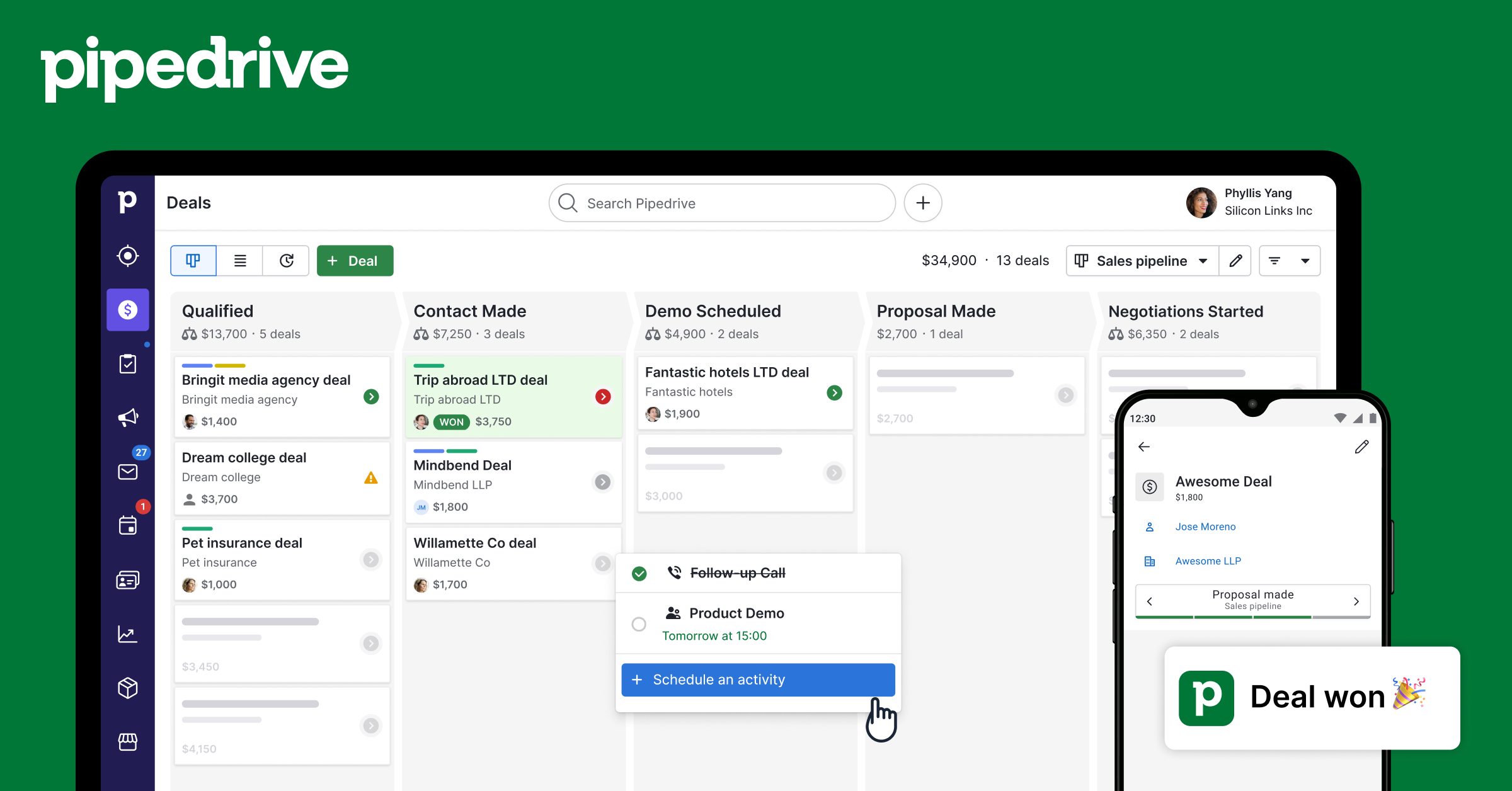
Pipedrive was built by salespeople for salespeople. The visual pipeline board is one of the clearest deal-management interfaces available, and the platform stays relentlessly focused on helping reps close. Pipedrive serves over 100,000 companies and processes more than $35 billion in pipeline value annually.
Pricing (verified July 2026, from Pipedrive’s official pricing page):
- Lite: $14/user/month (annual)
- Growth: $34/user/month (annual)
- Premium: $49/user/month (annual)
- Ultimate: approximately 79 EUR/user/month (annual)
What makes Pipedrive stand out: Activity-based selling. Pipedrive prompts reps to complete the next action on every deal rather than just staring at a contact list. AI deal summaries and email drafting are available on the Growth tier ($34/user/month) and above.
Real cons: Marketing features are add-on only — the Campaigns add-on costs an additional 13.33 EUR/company/month. No free plan, only a 14-day trial. Reporting is solid but not as deep as Salesforce or HubSpot Professional.
Best for: B2B sales teams of 2 to 50 reps that want a clean, intuitive pipeline tool without enterprise feature bloat.
Other Notable CRM Tools in 2026
Monday CRM ($12 to $41/seat/month) is ideal for teams that want CRM functionality layered onto a work management platform. If your sales team is already living in Monday.com boards, the CRM addition is a natural fit. Reporting and forecasting features lag behind dedicated CRMs at this price point.
Freshsales (Free to $59/user/month) is the best pick for high-volume phone outreach. It includes a built-in auto-dialer, call recording, and AI-powered lead scoring at no extra cost. The free tier is genuinely useful for teams under 5 reps.
Close CRM ($49/user/month and up) is a power tool for inside sales teams doing cold calling at scale. Built-in power dialer, predictive dialer, and SMS sequences are baked in — features you’d pay $50 to $100/month extra for with most other CRMs.
Copper CRM ($9 to $99/user/month) is purpose-built for Google Workspace. It lives inside Gmail, syncs automatically with Google Calendar, and requires near-zero data entry for Google shops. The trade-off: it only makes sense if your entire team is on Google Workspace.
How to Choose the Right CRM in 2026
There is no universally best CRM — the right tool depends on four factors:
1. Team size. Solopreneurs and teams under 5 should start with HubSpot Free or Freshsales Free. Teams of 5 to 50 seats get the most value from Pipedrive or Zoho CRM Professional. Enterprise teams with complex requirements should evaluate Salesforce.
2. Primary use case. Pure sales pipeline management: Pipedrive. Marketing automation plus CRM in one platform: HubSpot. Google Workspace shops: Copper. High-volume calling: Close or Freshsales.
3. Budget. Under $20/user/month: Zoho Standard or Freshsales Growth. $20 to $50: Pipedrive Growth, Monday CRM Pro, HubSpot Starter. Over $50: Close, Salesforce Pro Suite, HubSpot Professional.
4. Integration ecosystem. If you’re already using Zoho Books, stay in the Zoho family. If you’re a Salesforce shop, consider Sales Cloud before switching stacks. Migrating 5,000 contacts and deal history takes weeks — don’t underestimate the switching cost.
One tip most buyers miss: start with the free tier, import your real contacts, and run a live deal for 30 days before committing to a paid plan. Every CRM looks clean with demo data — only real use reveals the friction points.
Our Take
For most teams reading this, the answer is HubSpot Free to start, Zoho CRM Professional to scale. HubSpot’s free tier is the best onboarding experience in the category — you’ll be tracking deals within 20 minutes. When you need automation depth without the HubSpot pricing cliff, Zoho Professional at $23/user/month is genuinely hard to beat. Pipedrive is the right call only if your team is 100% sales-focused with no marketing overlap. Salesforce belongs in the conversation only when a dedicated admin and a six-figure software budget are already on the table.
CRM Software vs. Related Tools
A CRM is often confused with ERP software and project management software. The distinction: a CRM manages external customer relationships and the revenue pipeline; an ERP system manages internal business operations like inventory, accounting, and HR. Project management software tracks work delivery after the sale, not revenue generation. Many businesses run all three — they overlap less than people expect.
If you run an insurance agency, we’ve written a dedicated guide to the best CRM software for insurance agencies, covering specialized tools like AgencyBloc and Radiusbob that general comparisons never include. For HR technology paired with CRM, see our best HRMS software guide.
Frequently Asked Questions
What is CRM software used for?
CRM software is used to manage contacts, track deals through a sales pipeline, automate follow-up emails and tasks, and generate revenue reports. Sales teams use it to close more deals; marketing teams use it to track campaign attribution; customer service teams use it to view the full history of each customer relationship.
What is the best free CRM software in 2026?
HubSpot CRM is the best free option for most teams — it offers unlimited users, deal tracking, live chat, and email templates at no cost. Zoho CRM Free covers up to 3 users. Freshsales Free is ideal for teams doing heavy phone outreach. All three are genuinely free with no time limit, not just free trials.
Is CRM software worth it for small businesses?
Yes — especially since the best CRM tools for small businesses start free. Even a 2-person sales team benefits from a shared pipeline: no more deals falling through spreadsheet gaps. ROI typically shows within 60 to 90 days for teams that fully adopt the tool. Research shows CRM adoption correlates with a 29% increase in sales and a 41% increase in revenue per salesperson on average.
What is the difference between CRM and ERP software?
A CRM manages external relationships — your customers, leads, and the revenue pipeline. An ERP manages internal operations — inventory, accounting, payroll, and supply chain. Some enterprise platforms like Salesforce and SAP blur the line, but most small business deployments treat these as separate systems that integrate via API.
How long does CRM implementation take?
For small teams using HubSpot Free or Pipedrive, implementation takes 1 to 3 days: import contacts, set up pipeline stages, connect email. For mid-market platforms like Salesforce Professional, expect 4 to 12 weeks with a partner. Enterprise Salesforce deployments run 3 to 6 months and require a dedicated admin post-launch.
All prices verified July 2026. CRM pricing changes frequently — always confirm current rates on each vendor’s official pricing page before purchasing.


