


AI agents for business are software systems that plan a multi-step task, execute each step using tools such as web search, code execution, and API calls, and loop until the task is complete — without requiring a human prompt at each step. The 12 agents below cover coding, research, automation, and customer service, with verified pricing as of July 2026.
Quick Comparison: 12 Best AI Agents for Business
| Agent | Category | Starting Price | Key Capability | Free Tier |
|---|---|---|---|---|
| Claude Code | Coding | Included with Claude Pro ($20/mo) | Multi-file code generation and refactoring | No |
| Cursor Agent | Coding | $20/mo (Pro) | AI-native editor with autonomous file editing | Yes (Hobby) |
| Devin | Coding | $500/mo | Fully autonomous software engineer | No |
| ChatGPT Deep Research | Research | $20/mo (Plus) | Multi-source web research synthesis | Yes (limited) |
| Perplexity AI | Research | $20/mo (Pro) | Real-time web search with citations | Yes |
| Gemini Deep Research | Research | $19.99/mo (Google AI Premium) | Long-horizon research with Google Search | No |
| Zapier AI Agents | Automation | $69/mo (Teams) | Natural language cross-app automation | No |
| Make.com | Automation | $9/mo (Core) | Visual conditional workflow automation | Yes (1,000 ops/mo) |
| Microsoft Copilot Studio | Automation | $200/mo (25K messages) | Build custom AI agents on M365 data | Trial only |
| Intercom Fin | Customer Service | $0.99/resolution | Conversational AI support with live handoff | No |
| Zendesk AI | Customer Service | Add-on to Zendesk Suite plans | Ticket auto-routing and AI reply drafting | No |
| HubSpot Breeze (Prospecting Agent) | Customer Service / Sales | Included in paid Sales Hub ($500/mo) | Automated outbound personalization | No |
How AI Agents Differ from AI Chatbots
An AI chatbot responds to a single prompt and delivers one output per turn. An AI agent plans a sequence of steps, executes each step using external tools — including web search, file editing, code execution, and API calls — evaluates the result, and continues iterating until the original task is complete. The distinction is autonomy and tool access: a chatbot replies; an agent acts.
In a business context, the difference is practical. A chatbot drafts an email when prompted. An agent researches a prospect, drafts a personalized outreach email, schedules it in the CRM, and logs the activity — from a single instruction. The 12 agents below each demonstrate this multi-step autonomy within their specific category. For a breakdown of the security implications this autonomy introduces, see our analysis of 5 agentic AI security risks every team must know in 2026.
AI Coding Agents
AI coding agents plan software changes across multiple files, execute those changes in the development environment, run tests, and iterate on errors — autonomously. The 3 agents below represent a spectrum from IDE-embedded assistance to fully autonomous remote software engineering.
1. Claude Code (Anthropic) — Best Coding Agent for Existing Engineering Teams

Claude Code is Anthropic’s command-line AI coding agent that plans and executes multi-file software changes from a single terminal prompt. Claude Code is included with Claude Pro at $20 per month and scales via the Anthropic API for enterprise usage billed per token. In documented deployments, Claude Code has completed large-scale refactors — including rewriting a 1 million-line codebase from JavaScript to Rust — with minimal human intervention, as reported by engineering teams using the tool publicly in 2026.
Best for: engineering teams that need autonomous execution of large refactors, test generation, or dependency migration tasks. Claude Code operates from the terminal, integrating into existing CI/CD workflows without requiring a new graphical environment.
Limitation: Claude Code requires explicit human checkpoints for irreversible operations. It does not run fully unsupervised in production environments without additional safety configuration.
2. Cursor Agent — Best Coding Agent for Day-to-Day Development
Cursor is an AI-native code editor built as a fork of VS Code that includes an Agent mode capable of generating multi-file changes, creating new files, and running terminal commands from a single natural language prompt inside the editor. The Pro plan costs $20 per month; the Business plan costs $40 per user per month and adds team administration and SSO. Cursor’s Agent mode is available on both plans.
Best for: individual developers and small engineering teams that want AI agency embedded in their daily editor rather than a separate command-line tool. Cursor Agent operates with full visibility into the project’s file tree and open tabs, enabling it to plan cross-file changes with awareness of the existing code structure.
Multi-agent cost proof: Cursor (Anysphere) published swarm research on July 20, 2026 that rebuilt a SQLite-compatible database engine in Rust from an 835-page specification for $1,339, against $10,565 for the same task on a single frontier model. Wilson Lin of Anysphere reported that pairing an Opus 4.8 planner with Composer 2.5 workers cut the worker fleet cost from $9,373 to $411 while passing 100% of the sqllogictest suite. Composer 2.5 is Cursor’s internal model, not a feature buyers select on the Pro or Business plan, so the planner-worker split shown in that research is a pattern teams reproduce with their own model mix rather than a product option.
Limitation: Cursor requires migrating away from VS Code as the primary editor. Teams with complex VS Code extension configurations or editor governance requirements face adoption friction.
3. Devin (Cognition AI) — Best Coding Agent for Fully Autonomous Software Engineering
Devin is a fully autonomous AI software engineer developed by Cognition AI that operates in its own sandboxed environment with access to a browser, terminal, code editor, and file system. Devin costs $500 per month per user per Cognition AI’s published pricing. Devin plans features, writes implementation code, writes tests, debugs failures, and submits pull requests without requiring step-by-step guidance from a human engineer.
Best for: engineering teams with well-defined feature tickets in a backlog who need autonomous execution on contained, spec-complete tasks. Devin performs best on tasks with clear acceptance criteria and bounded scope.
Limitation: Devin’s $500 per month price point targets enterprise engineering teams and is above the entry cost of the other coding agents on this list. Its performance drops on ambiguous tasks that require architectural judgment beyond what the ticket specifies.
For a ranked comparison of these coding agents plus GitHub Copilot and additional options, see our guide to the best AI coding assistants in 2026.
AI Research Agents
AI research agents execute multi-step information retrieval tasks — searching the web, reading sources, synthesizing findings, and writing structured summaries — without requiring manual search-and-paste workflows. The 3 agents below cover deep research synthesis, real-time citation retrieval, and long-horizon document research.
4. ChatGPT Deep Research (OpenAI) — Best for Multi-Source Research Synthesis
ChatGPT’s Deep Research mode is an AI agent that runs multi-step web research tasks autonomously, reading dozens of sources and producing a structured report with citations. Deep Research is available on the Plus plan at $20 per month and runs tasks that can take 5–30 minutes to complete. On the Pro plan at $200 per month, Deep Research accesses more sources and produces longer, more detailed reports. OpenAI launched Deep Research in February 2025 as a feature within ChatGPT.
Best for: business analysts, competitive intelligence teams, and consultants who need comprehensive research on a topic — market sizing, competitive landscape, regulatory context — without manually searching and reading dozens of sources. Deep Research cites every source in the final report, enabling fact-checking of each claim.
Limitation: Deep Research tasks take significantly longer than a standard ChatGPT prompt — typically 5–30 minutes — which makes it unsuitable for real-time research needs during meetings or calls.
5. Perplexity AI — Best for Real-Time Research with Citations
Perplexity AI is a research agent that answers questions by searching the web in real time, reading current sources, and producing a cited summary in under 30 seconds. The free tier provides standard search with citations; the Pro plan at $20 per month adds access to advanced models — including GPT-4o and Claude — for deeper analysis. Perplexity’s Pro Search mode runs multi-step searches, follows up on its own results, and synthesizes findings across multiple sources before answering.
Best for: professionals who need quick, cited answers to factual questions throughout the workday — pricing lookups, competitive intelligence snapshots, regulatory quick checks, and current events research. Perplexity’s citation model makes every claim traceable to a source URL, which reduces fact-checking time compared to uncited AI assistant outputs.
Limitation: Perplexity is optimized for question-and-answer research, not long-horizon analysis. Tasks requiring synthesis across 50+ sources or production of a 3,000-word structured report are better handled by ChatGPT Deep Research or Gemini Deep Research.
6. Gemini Deep Research (Google) — Best for Research Grounded in Google Search
Gemini Deep Research is Google’s AI research agent, available through the Gemini Advanced interface on the Google AI Premium plan at $19.99 per month. Gemini Deep Research creates a multi-step research plan, executes web searches across Google Search, reads and synthesizes the retrieved content, and produces a structured document with inline citations. Because Gemini Deep Research uses Google Search directly, it retrieves results from Google’s full search index, including current news and recent publications.
Best for: Google Workspace teams that already pay for the Google AI Premium subscription — Deep Research is included at no additional cost above the $19.99 per month plan. Teams researching topics where recent news and current publications matter benefit from Gemini’s direct Google Search integration.
Limitation: Gemini Deep Research is embedded in the Gemini interface and does not produce output that integrates directly into Docs or Sheets without manual copy-paste. Teams needing research that flows directly into a document draft should use Gemini in Docs instead.
AI Automation Agents
AI automation agents connect business applications and execute workflows across them from natural language instructions or triggers, eliminating the manual steps between tools in a business’s software stack. The 3 agents below address no-code app orchestration, visual conditional logic, and enterprise custom agent creation.
Small businesses without an operations team have a fourth option: a platform that configures the agents for them. Wix launched Symphony on August 11, 2026, a standalone multi-agent platform in which one orchestrator agent, Maestro, coordinates task-specific agents and a validation agent checks each output before the owner sees it, then reports completed work in a daily stand-up briefing. Wix tuned Symphony for 4 verticals — retail, online retail, insurance, and consulting — and disclosed no pricing and no availability date at launch. Owners weighing a pre-configured orchestrator against the build-it-yourself platforms below can read how Wix Symphony gives small businesses a team of AI agents, including the accuracy-checking layer that decides whether the approach is trustworthy.
7. Zapier AI Agents — Best for No-Code Cross-App Automation
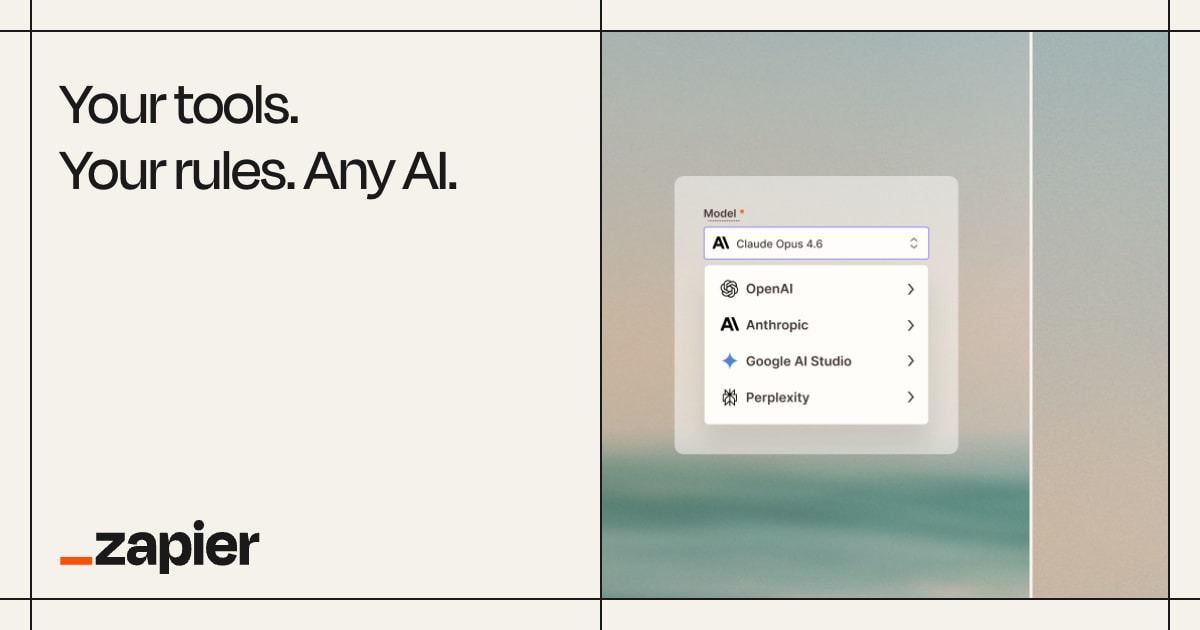
Zapier AI Agents are autonomous agents that accept natural language instructions and execute multi-step workflows across Zapier’s 7,000+ connected apps. Zapier AI Agents are available on the Teams plan starting at $69 per month. An agent can monitor a shared inbox, classify inbound requests, route them to the right team member in Slack, create a follow-up ticket in Jira, and log the interaction in HubSpot — without a human mapping each step manually. Zapier AI Agents differ from standard Zaps in that they make decisions based on content, not just triggers.
Best for: operations teams that need AI to make routing and classification decisions across existing business software without writing code. Zapier’s 7,000-app library means the agent can connect to most tools a mid-sized business already uses.
Limitation: Zapier AI Agents require the Teams plan at $69 per month minimum. Teams with fewer than 5 active automation use cases will find better value starting with a standard Zap on the Starter plan before upgrading.
8. Make.com — Best for Complex Multi-Branch Automation

Make.com is a visual automation platform with AI-powered scenario building that supports complex conditional logic, data transformation, and multi-branch workflows on a drag-and-drop canvas. The free tier allows 1,000 monthly operations; the Core plan at $9 per month includes 10,000 operations; the Pro plan at $16 per month adds advanced scheduling and AI tools. Make.com’s AI module allows scenarios to call LLMs mid-workflow for classification, text generation, or data extraction before routing the result to the next step.
Best for: technical operations teams that need granular control over automation logic — branching conditions, data parsing, error handling paths, and iterative loops — at a lower per-operation cost than Zapier. Make.com’s visual canvas makes complex agent workflows easier to audit than text-based workflow builders.
Limitation: Make.com’s visual interface requires a technically proficient builder. Non-technical users who want to set up automation without learning the platform’s data-mapping concepts will find the initial learning curve steeper than Zapier.
9. Microsoft Copilot Studio — Best for Enterprise Custom AI Agents
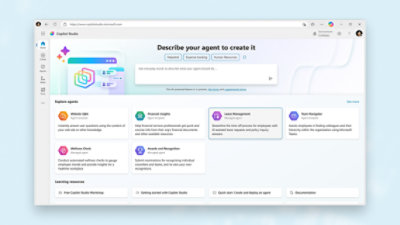
Microsoft Copilot Studio is a low-code platform for building custom AI agents that connect to Microsoft 365 data, SharePoint, Dynamics 365, and external APIs. Copilot Studio costs $200 per month for 25,000 messages; additional usage is billed at $0.01 per message. Agents built in Copilot Studio can answer employee questions by retrieving content from SharePoint, process expense reports from Teams, and automate approval workflows in Dynamics 365 — all without leaving the Microsoft ecosystem.
Best for: enterprise IT and operations teams that need to build custom internal-facing AI agents grounded in the organization’s own Microsoft 365 data. Copilot Studio agents respect Microsoft’s enterprise data compliance boundaries, making them suitable for regulated industries.
Limitation: Copilot Studio’s value is proportional to the organization’s investment in Microsoft 365. Companies not already on the Microsoft stack gain less from Copilot Studio than from platform-agnostic alternatives such as Zapier or Make.com.
AI Customer Service Agents
AI customer service agents handle inbound support tickets, resolve common questions autonomously, route complex issues to human agents, and personalize outbound communication at scale — reducing the cost per resolved support interaction. The 3 agents below represent the conversational support, ticket automation, and outbound sales automation approaches.
10. Intercom Fin — Best Conversational Customer Support Agent
Intercom Fin is an AI customer support agent that answers customer questions using the company’s own help center content, resolves support conversations autonomously, and hands off to a human agent when the query falls outside its knowledge. Fin is priced at $0.99 per resolved conversation — with no monthly minimum — making it cost-effective for businesses with variable support volumes. According to Intercom’s published customer data, Fin resolves an average of 51% of inbound support conversations without human intervention.
Best for: SaaS companies, ecommerce businesses, and service teams with a large volume of repetitive tier-1 support questions — such as password resets, order status, and plan-change requests — that a well-trained AI agent can resolve from existing documentation.
Limitation: Fin’s resolution rate and response quality depend on the completeness of the company’s help center documentation. Teams with sparse or outdated help content will see lower resolution rates and more frequent escalations to human agents.
11. Zendesk AI — Best for Automated Ticket Routing and Reply Drafting
Zendesk AI is an add-on to Zendesk’s Suite plans that automates ticket classification, priority assignment, reply drafting, and intent detection for inbound customer service requests. Zendesk AI pricing is added to existing Zendesk Suite plans and varies by plan tier; Zendesk Advanced AI — the higher-capability tier — includes intelligent triage, AI-generated reply suggestions for agents, and macro recommendations. Zendesk serves 100,000+ customers globally, per Zendesk’s published data.
Best for: support teams already using Zendesk as their ticketing system that want AI to reduce triage time and accelerate first-response times without adopting a separate tool. Zendesk AI’s triage capabilities reduce the manual effort of assigning tickets to the correct team and priority queue.
Limitation: Zendesk AI is an add-on, not a standalone product. Teams not already on a Zendesk Suite plan must pay for both the base plan and the AI add-on, which positions the total cost above conversational-AI alternatives such as Intercom Fin for smaller support teams.
12. HubSpot Breeze Prospecting Agent — Best for AI-Driven Sales Outreach

HubSpot’s Breeze Prospecting Agent is an AI agent embedded in HubSpot Sales Hub that researches prospects using CRM data and web sources, then generates personalized outreach sequences tailored to each contact’s role, company, and recent activity. The Prospecting Agent is included in HubSpot Sales Hub paid plans starting at $500 per month. It operates within HubSpot’s CRM, so outreach history, contact records, and engagement data remain in one system without exporting to a separate outbound tool.
Best for: sales teams already using HubSpot CRM that want to automate the research and personalization steps of outbound prospecting without hiring additional sales development representatives. The Prospecting Agent personalizes at the contact level, not just the company level, using the data already in the CRM.
Limitation: HubSpot Sales Hub’s $500 per month starting price means the Prospecting Agent is cost-effective only for teams with sufficient deal volume to justify the platform cost. Smaller teams with fewer than 50 active prospects per month may find a general-purpose AI tool plus manual personalization more cost-efficient.
Pay-Per-Resolution Pricing: The 4.3 Million-Ticket Salesforce Benchmark
Pay-per-resolution pricing bills a support team per completed outcome instead of per seat or per API call, so an AI agent that fails to resolve a ticket generates no charge. Salesforce made Agentforce Help Agent generally available in July 2026 on that model and charges nothing when a customer escalates to a human agent or leaves unsatisfied. Salesforce has not published the dollar amount it charges per resolution.
Salesforce ran Agentforce on its own support site, help.salesforce.com, where the agent handled 4.3 million customer inquiries and resolved 70% of them without a human. That rate against a disclosed volume of 4.3 million tickets is the largest published autonomous-resolution benchmark from a major CRM vendor. Intercom Fin publishes a 51% average resolution rate without a disclosed ticket count, and Zendesk AI and the HubSpot Breeze agents publish no equivalent resolution figure. Agentforce Help Agent configures voice, web, customer portal, and messaging from a single setup screen and grounds its answers on a company’s existing Salesforce Knowledge articles, plus drag-and-drop file uploads and URL crawling.
According to Kishan Chetan, EVP and GM of Agentforce Service at Salesforce, the product “leverages nearly two years of real-world learnings” from that deployment. Nicole LaCamp, SVP of Platform Strategy and Engineering at PenFed Credit Union, endorsed the pricing model directly: “This kind of model means we only win when our members win.”
Buyer takeaway: outcome pricing lets a support organisation model AI agent cost against its current cost per human-handled ticket, because the charge exists only where a resolution occurred. Two vendors now price this way — Intercom Fin at $0.99 per resolved conversation and Salesforce Agentforce Help Agent at an undisclosed per-resolution rate. Seat-priced agents such as Zendesk AI and HubSpot Breeze bill the same amount whether or not the agent closes the ticket.
Meta introduced a third agent-pricing model on August 1, 2026: Business Agent, its AI assistant embedded in WhatsApp, Instagram, and Messenger, charges a flat $2.00 per million tokens regardless of the customer’s country. A simple support interaction on Business Agent costs approximately 4 to 5 cents in token usage, and a multi-turn sales conversation can reach approximately $0.24, according to pricing analysis from Zernio and IntelliConcierge. Starting October 1, 2026, Meta will additionally bill for service messages and utility templates sent inside the customer-service window, raising the effective cost for businesses that run Business Agent alongside human agents. Token-based pricing differs from both the per-resolution model (Intercom Fin, Salesforce Agentforce) and the per-seat model (Zendesk AI, HubSpot Breeze): a business pays for language processed rather than outcomes achieved or seats purchased, so cost scales with conversation length and volume regardless of whether the agent resolves the query.
How to Choose the Right AI Agent for Your Business
Choosing an AI agent depends on which business function produces the highest volume of repetitive, multi-step work and whether the team wants a purpose-built agent or a platform to build custom ones. Four decision paths cover most business scenarios.
Engineering teams that want to reduce the time spent on software development should start with Claude Code or Cursor Agent — both are available at $20 per month and integrate with existing codebases. Teams with a formal backlog of spec-complete feature tickets should evaluate Devin at $500 per month for fully autonomous ticket execution.
Research-heavy teams — analysts, consultants, and strategy functions — should evaluate ChatGPT Deep Research and Gemini Deep Research before committing to a standalone research tool. Both are included with existing AI subscriptions (ChatGPT Plus at $20/mo; Google AI Premium at $19.99/mo), making the marginal cost of adding a research agent zero for teams already paying for a general-purpose AI subscription.
Operations teams that need to automate workflows across existing business software should start with Make.com’s free tier (1,000 operations per month) before committing to a paid plan. Teams with defined automation use cases and 5+ active workflows should evaluate Zapier’s Teams plan at $69 per month for AI decision-making capabilities within automations.
Teams handling confidential files should weigh where the agent executes. A local desktop agent reads files on the user machine and drives the user browser session, so no document upload and no third-party OAuth grant is required. Moonshot AI ships this architecture in Kimi Work, which moved to the Kimi K3 model on July 17, 2026, runs on macOS (Apple Silicon) and Windows, orchestrates up to 300 parallel sub-agents on the device, and controls a logged-in browser through its WebBridge extension. Cloud agents such as ChatGPT Deep Research and Zapier AI Agents execute on vendor servers instead, which suits teams that need shared runs and administrator controls. Kimi Work remains in public beta with undisclosed subscription pricing and unconfirmed availability outside Asia, so treat local execution as an evaluation criterion rather than a finished product category.
Customer service teams should match the agent to their current ticketing system. Teams using Zendesk should add Zendesk AI. Teams without an existing ticketing system should evaluate Intercom Fin’s pay-per-resolution pricing before committing to a platform contract. For a broader view of AI tools across all business functions, see our comparison of the best AI tools for business in 2026.
Should You Self-Host an Open-Source Agent Harness Instead?
Self-hosting makes sense for companies of roughly 20–200 people that want every employee running agents under their own credentials without paying a per-seat SaaS fee. Every agent above is a vendor-hosted product; the open-source alternative is an agent harness you run on your own Postgres and compute, with per-employee sandboxes and admin-controlled security postures. Y Combinator released the first such harness built for a whole company rather than for individual developers — read our coverage of YC open-sourcing QM, the AI agent harness for your whole company for how it isolates each user’s memory, files, and permissions and how it compares with SaaS alternatives such as HubSpot Agent Hub.
Frequently Asked Questions
What is the best AI agent for small businesses?
The best AI agent for small businesses is Perplexity AI Pro at $20 per month for research tasks, combined with Make.com’s free tier for automation. Perplexity provides cited research for competitive intelligence, market lookups, and factual queries; Make.com’s free tier automates up to 1,000 monthly operations between apps a small business already uses. For coding tasks, Claude Code (included with Claude Pro at $20/mo) provides the strongest autonomous development capability at the SMB price point.
How is an AI agent different from an AI chatbot?
An AI chatbot replies to a single prompt in a conversation turn. An AI agent receives a goal, plans the steps needed to achieve it, executes each step using external tools — such as web search, code execution, file editing, and API calls — and iterates until the task is complete. The practical difference: a chatbot generates a draft email when prompted; an agent researches the recipient, drafts the email, schedules it in the CRM, and logs the send — from one instruction.
Can AI agents make decisions on their own?
Yes, AI agents make decisions autonomously within the scope of their defined task and available tools. A research agent decides which sources to read and how to synthesize findings. A coding agent decides which files to edit and in what order. A customer service agent decides whether a query falls within its resolution capability or requires human escalation. All decisions are bounded by the agent’s configured permissions and the tools it has access to — agents cannot take actions outside their defined tool set.
Are AI agents safe to use in business environments?
AI agents are safe to use in business environments when deployed with appropriate permission boundaries, audit logging, and human review checkpoints for irreversible actions. Enterprise-tier AI agents — including Microsoft Copilot Studio and Salesforce Einstein — operate within the customer’s data compliance environment and support role-based access controls. Consumer and SMB-tier agents, such as Zapier AI Agents, require configuration of data access permissions to prevent agents from reading or writing data beyond their intended scope. A full breakdown of the 5 specific risks agentic deployments introduce is in our analysis of agentic AI security risks in 2026.
What do AI agents cost for a business?
AI agent costs for a business range from free (Make.com’s 1,000-operation free tier; Perplexity AI’s basic search) to $500 per month per user (Devin). The most common entry price is $20 per month, which unlocks Claude Code, Cursor Agent, ChatGPT Deep Research, and Perplexity Pro — 4 capable agents across coding and research functions. Automation agents start at $9 per month (Make.com Core) and $19.99 per month (Zapier Starter). Enterprise customer service agents — Zendesk AI, Intercom Fin, HubSpot Breeze — are priced as add-ons to existing platform subscriptions or on a per-resolution model.
Do AI agents replace employees?
AI agents automate defined, repetitive tasks within a role — they do not replace the role itself. Coding agents reduce the time an engineer spends on boilerplate and refactoring tasks; they do not replace the engineer’s architectural judgment, stakeholder communication, or code review responsibilities. Customer service agents resolve tier-1 support queries autonomously; they escalate complex, judgment-intensive, or emotionally sensitive interactions to human agents. According to McKinsey’s 2024 automation research, AI automates 60–70% of the time spent on data collection and routine communication tasks, but less than 30% of tasks requiring judgment, relationship management, or novel problem-solving.
