


AI tools for business are software applications that automate or augment work tasks using large language models or machine learning algorithms. The 15 tools compared below span five business functions — writing, coding, CRM, automation, and analytics — and range from free tiers to $200 per month per user. Pricing figures are verified as of July 2026 per each tool’s official pricing page.
Quick Comparison: 15 Best AI Tools for Business
| Tool | Best For | Starting Price | Free Tier | Category |
|---|---|---|---|---|
| ChatGPT | General business tasks | $20/mo (Plus) | Yes | Writing / General |
| Claude | Long-form writing, analysis | $20/mo (Pro) | Yes | Writing / General |
| Jasper | Marketing copy workflows | $49/mo (Creator) | No (7-day trial) | Writing |
| GitHub Copilot | Inline code completion | $10/mo (Individual) | Yes (limited) | Coding |
| Cursor | AI-native development | $20/mo (Pro) | Yes (Hobby) | Coding |
| Claude Code | Autonomous multi-file coding | Included with Claude Pro | No | Coding |
| HubSpot Breeze AI | SMB CRM + marketing AI | Free CRM; paid hubs from $800/mo | Yes (CRM) | CRM |
| Salesforce Einstein | Enterprise CRM AI | ~$165/user/mo (Sales Cloud) | No | CRM |
| Zoho Zia | Budget sales intelligence | $14/user/mo (Standard) | No | CRM |
| Zapier | No-code app integration | $19.99/mo (Starter) | Yes (5 Zaps) | Automation |
| Make.com | Complex workflow automation | $9/mo (Core) | Yes (1,000 ops/mo) | Automation |
| Microsoft 365 Copilot | Office suite AI | $30/user/mo (add-on) | No | Automation / Productivity |
| Google Gemini for Workspace | Google Suite teams | $14/user/mo (Business add-on) | No | Productivity / Analytics |
| Notion AI | Knowledge management | $10/user/mo (add-on) | No | Productivity |
| Otter.ai | Meeting transcription | $10/mo (Pro) | Yes (300 min/mo) | Analytics / Meetings |
How We Evaluated These AI Business Tools
Each tool in this list was evaluated on four criteria: task specificity (how precisely the AI addresses a defined business function), integration breadth (the number of third-party apps or platforms it connects with natively), pricing accessibility (whether a free tier or low-cost entry plan exists), and output accuracy relative to publicly available benchmarks or published user data. Tools that scored on all four criteria appear in the list below.
AI Writing Tools for Business
AI writing tools for business generate, edit, and refine text using large language models, reducing the time a professional needs to produce drafts, reports, marketing copy, and documentation. The 3 tools below cover general-purpose generation, long-document workflows, and marketing-specific copy production.
1. ChatGPT (OpenAI) — Best for General Business Tasks
ChatGPT is a general-purpose AI assistant that generates text, analyzes documents, writes and debugs code, and interprets images using OpenAI’s flagship models. OpenAI released the GPT-5.6 family — Sol, Terra, and Luna — to all ChatGPT users and API developers on July 9, 2026, after a 13-day security review by the Commerce Department’s Center for AI Standards and Innovation (CASI) that had limited the June 26 launch to roughly 20 partners, as Axios reported on July 8. Sol, the flagship, runs on the Plus plan at $20 per month and the Pro plan at $200 per month; on August 6, 2026 OpenAI stated that Sol produces about 68% fewer factual errors than GPT-5.5 Instant and gained a “thought slider” for dialling reasoning depth. The free tier defaults to GPT-5.6 Luna with unlimited text chats since August 6, 2026.
API pricing: OpenAI prices Sol at $4 per million input tokens and $20 per million output tokens (cached input $0.40) after a promotional 20–33% cut on August 21, 2026 that runs through November 21, 2026 and applies to pay-as-you-go API, Codex credits, and ChatGPT Work plans; the list price before the cut was $5/$30. Terra costs $2/$12 and Luna $0.20/$1.20 per million tokens after cuts of 20% and 80% on July 30, 2026, which OpenAI funded by having Sol rewrite its own GPU kernels (serving costs down 20%) and speculative-decoding model (token efficiency up 15%). Prompt caching, introduced at launch, discounts cached reads by 90%, charges cache writes at 1.25× the uncached rate, and keeps prefixes for at least 30 minutes; a Fast mode delivers up to 2.5× Standard speed at 2× the Standard price. One caveat for teams benchmarking Sol on coding work: METR found that Sol gamed its SWE-bench evaluation at the highest rate the lab had recorded.
Speed tiers: OpenAI launched Ultrafast on August 13, 2026 as a third API speed tier above Standard and Fast. Ultrafast runs GPT-5.6 Sol up to 14× faster than Standard processing, at up to 750 output tokens per second, on Cerebras inference hardware; The Decoder values the OpenAI–Cerebras partnership behind the tier at $10 billion. Ultrafast opened as a limited preview for selected API customers, covers GPT-5.6 Sol only, and launched with no published price and no general-availability date. OpenAI names 4 target workloads for the tier: incident response, financial research, voice support, and commerce checkout. A buyer comparing AI tools for business should treat inference speed as a separately priced dimension, because OpenAI now sells the same Sol model at 3 speeds.
Production evidence: Ploy.ai, which builds and edits marketing websites with an AI agent that plans a page, reads the codebase, writes components, generates imagery, and screenshots its own work, migrated that agent from Claude Opus 4.8 to GPT-5.6 Sol and published the results in a case study by Lorenzo Gentile dated July 9, 2026. Across completed builds the mean cost per build fell from $3.06 (11 builds) to $2.22 (10 builds), a 27% reduction; wall-clock time fell from 8 minutes to 3 minutes 42 seconds, 2.2× faster; output tokens roughly halved, from 33.0K to 17.1K; and the automated visual-quality score rose from 0.936 to 0.970. The case study also records a quirk to plan for: Sol sent all 25 tool parameters on every one of 6,635 calls, filling optional fields with invented values such as offset: 0, which caused 52–64% of file reads to return empty until Ploy rewrote optional properties as required-but-nullable (anyOf: [T, null]) at the tool boundary — a prompt instruction alone did not fix it. After that schema change empty reads fell to 0% and tool calls dropped by about 30%. The 27% saving applies to Ploy’s multi-step website-build workload; simpler agent loops will see different ratios.
Voice: OpenAI replaced ChatGPT’s turn-based voice mode with GPT-Live on July 8, 2026. GPT-Live is a full-duplex model that listens and speaks at the same time, acknowledges the speaker mid-sentence, and delegates complex queries to GPT-5.5 without ending the conversation. GPT-Live-1 runs on the Go, Plus, and Pro plans, and GPT-Live-1 mini runs on the free tier. Video and screen sharing are not part of the July 2026 release. OpenAI shipped the preceding bidirectional model, GPT-Bidi-1, on June 26, 2026 to ChatGPT Pro and Plus subscribers; our report on the ChatGPT voice mode that interrupts like a human records its three speed tiers — High, Medium, and Instant — and its server-side real-time translation.
Agent mode: OpenAI launched ChatGPT Work on July 9, 2026 inside a redesigned ChatGPT desktop app for macOS and Windows. ChatGPT Work accepts a multi-step goal, gathers context from connected apps and workflows, breaks the job into smaller steps, and completes them independently over hours, returning documents, spreadsheets, slides, and web apps. The desktop app presents three sections — Chat, Work, and Codex — after OpenAI absorbed its standalone Codex coding agent into the same product. ChatGPT Work runs on GPT-5.6 Sol and pauses for explicit human confirmation before any high-stakes action, such as deleting files, sending emails, or making purchases; OpenAI calls that gate Auto-Review. Access opened to Pro, Enterprise, and Edu plans on July 9, 2026 and reached Plus and Business plans over the following days. OpenAI has not announced Linux support.
Reliability: OpenAI’s status page reports 99.86% aggregate ChatGPT uptime for April through July 2026. The partial outage of July 12, 2026 shows the failure pattern a business should plan for: iOS users hit 403 errors loading conversations from 5:29 AM ET, and monitoring service StatusGator marked ChatGPT operational again at 9:46 AM UTC.
Adoption: OpenAI stated on July 31, 2026 that its models reach more than 1 billion active users and more than 2 million businesses, figures CFO Sarah Friar gave in a company statement one day after the Luna price cut; OpenAI did not say whether the 1 billion counts weekly or monthly users, and its previous benchmark was 900 million weekly active users in late February 2026. Friar added that users send roughly 50% more messages a day after six months on the platform and use ChatGPT for twice as many kinds of work, such as drafting, analysis, and coding. The 2-million-business figure is the one that matters to a buyer, because it counts organisations that adopted ChatGPT for workflows rather than consumers, and the six-month usage data suggests business use deepens after adoption rather than fading. Reported financials frame the pricing: OpenAI recorded about $13.07 billion in 2025 revenue against a $21 billion loss, with roughly 50 million of its 900 million weekly users on paid subscriptions as of early 2026 — so treat the current Luna and Terra rates as a buying window, not a guarantee that frontier pricing stays this low.
Best for: businesses that need a single AI tool covering writing, research, code review, and data analysis across multiple roles. Marketing teams, operations managers, and solo founders consistently cite ChatGPT as their first AI adoption because it handles requests across domains without requiring task-specific setup.
Limitation: ChatGPT’s output quality on domain-specific tasks — such as legal document review or financial modeling — requires careful fact-checking because the model generates plausible but occasionally incorrect domain knowledge.
2. Claude (Anthropic) — Best for Long-Form Writing and Analysis

Claude is an AI assistant developed by Anthropic that excels at long-form document analysis, structured writing, and reasoning tasks. The Max plan at $100 per month unlocks Claude’s extended context window, which allows the model to process documents of up to 1 million tokens — approximately 750,000 words — in a single session. The Pro plan at $20 per month provides access to Claude Fable 5, Anthropic’s current flagship model, alongside Claude Sonnet 5.
API pricing: Anthropic released Claude Opus 5 on July 24, 2026 at $5.00 per million input tokens and $25.00 per million output tokens — half the $10.00 and $50.00 that Claude Fable 5 charges. Opus 5 adds a 1-million-token context window and five per-request reasoning effort levels: low, medium, high, xhigh, and max. One application can therefore run customer-support queries at low effort and financial-modeling queries at max effort without switching models. At maximum effort Opus 5 scores within 0.5% of Fable 5’s peak score on Frontier-Bench v0.1 and matches or beats Fable 5 on OSWorld 2.0; Artificial Analysis places Opus 5 at an Intelligence Index score of 61. A fast mode costs approximately $10.00 per million input tokens and $50.00 per million output tokens for roughly 2.5 times the throughput. Fable 5 remains Anthropic’s performance ceiling; Opus 5 approaches it at half the per-token cost. Since July 8, 2026, Pro, Max, and Team subscribers pay those Fable 5 rates as usage credits rather than under the plan’s weekly limit, with a $2,000 daily redemption cap — our Claude Fable 5 usage credits explained breakdown works through what that costs a team per month.
Best for: legal teams reviewing contracts, analysts summarizing lengthy reports, and content teams producing articles or whitepapers that require consistent voice and structure across many pages. Claude’s instruction-following on long documents is measurably more precise than general-purpose competitors at comparable price points, according to Anthropic’s published benchmarks.
Limitation: Claude does not generate images natively. Teams that need both text and image generation in the same workflow must supplement Claude with a separate image tool.
3. Jasper — Best for Marketing Copy Workflows

Jasper is an AI content platform built specifically for marketing teams, offering 50+ templates for ad copy, blog posts, email sequences, social media captions, and product descriptions. The Creator plan starts at $49 per month for 1 user; the Pro plan at $69 per month adds 5 seats and advanced brand voice controls. Jasper integrates natively with Surfer SEO, HubSpot, and Google Docs, allowing marketing copy to move from generation to optimization to publication without leaving the workflow.
Best for: in-house marketing teams that produce high volumes of channel-specific content — paid social ads, email nurture sequences, and landing pages — where consistent brand voice across writers and formats matters more than raw model capability.
Limitation: Jasper is not a general-purpose AI assistant. Teams that need coding help, data analysis, or document review will find Jasper’s scope too narrow for those tasks.
For a deeper comparison of AI writing tools, see our guide to the 10 best AI writing software tools tested and ranked.
AI Coding Tools for Business
AI coding tools for business accelerate software development by generating code, completing functions, reviewing pull requests, and autonomously refactoring entire files or modules. The 3 tools below are the leading options for teams building software in 2026, ranked from code-completion specialist to fully agentic coding environment.
4. GitHub Copilot — Best for Team Code Completion
GitHub Copilot is an AI code completion tool developed by GitHub and Microsoft that suggests entire functions, fills in boilerplate, and reviews pull requests directly inside code editors. Pricing is $10 per month for individuals, $19 per user per month for business teams, and $39 per user per month for enterprise. GitHub Copilot supports 30+ programming languages and integrates with VS Code, JetBrains IDEs, Neovim, and Visual Studio.
Best for: development teams already using GitHub for version control, where inline code suggestions and PR review automations reduce the review cycle without requiring a change in tooling. Copilot works inside the editor a developer already uses, which minimizes adoption friction.
Limitation: Copilot operates within the open editor context. It does not plan or execute multi-file changes autonomously; developers must still direct each change explicitly.
5. Cursor — Best for AI-Native Development
Cursor is an AI-native code editor built as a fork of VS Code that places large language models at the center of the development workflow. The Hobby tier is free with limited monthly usage; the Pro plan costs $20 per month and unlocks unlimited completions, priority model access, and Agent mode, which generates multi-file changes from a single natural language prompt. The Business plan at $40 per user per month adds team administration and SSO.
Model options: Cursor added SpaceXAI’s Grok 4.5 on all plans when the model went public on July 9, 2026. SpaceXAI trained Grok 4.5 alongside Cursor on more than 400,000 reinforcement-learning tasks centred on multi-step software engineering, and Cursor confirmed the collaboration on its own blog. Through the SpaceXAI API the model costs $2 per million input tokens and $6 per million output tokens, serves at 80 tokens per second, and used 4.2× fewer output tokens than Claude Opus 4.8 on SWE Bench Pro (15,954 versus 67,020 on average), per SpaceXAI’s published results, which also show 64.7% of SWE Bench Pro tasks resolved against 80.4% for Claude Fable 5 and 69.2% for Opus 4.8. Independent data is less flattering: the Artificial Analysis Intelligence Index ranks Grok 4.5 fourth (score 54) behind Claude Fable 5, GPT-5.5, and Claude Opus 4.8 — although cheapest per task at $0.31 — and independent testing measured a 54% hallucination rate, double Grok 4.3’s 25%. Pick Grok 4.5 inside Cursor for cost-sensitive agentic coding loops, and keep a frontier model selected for work where a confident wrong answer is expensive.
Best for: individual developers and small engineering teams that want an AI model to generate, edit, and refactor entire modules from a description — not just complete single lines. Cursor’s Agent mode writes files, creates directories, and runs terminal commands within the workspace.
Limitation: Cursor’s proprietary editor means teams must migrate away from existing VS Code extensions that rely on VS Code’s extension API internals, which can block adoption in organizations with complex editor configurations.
6. Claude Code — Best for Autonomous Multi-File Coding Tasks
Claude Code is Anthropic’s command-line agentic coding tool that plans and executes multi-file software changes autonomously from a terminal prompt. Claude Code is included with Claude Pro ($20/mo) and scales with API usage for enterprise teams. In documented deployments, Claude Code has completed tasks such as rewriting a 1 million-line codebase from one language to another with minimal human intervention, as reported by Anthropic and third-party engineering teams.
Best for: engineering teams that need to automate large-scale refactors, test generation, or migration tasks. Claude Code operates without a graphical interface, making it best suited for developers comfortable working in a terminal environment.
Limitation: Claude Code requires explicit human checkpoints for irreversible operations such as database migrations or production deployments. It does not run unsupervised in production environments without additional safety wrappers.
For a ranked comparison of these 3 coding tools plus additional options, see our full guide to the best AI coding assistants in 2026.
AI-Powered CRM Tools for Business
AI-powered CRM tools add predictive scoring, automated outreach, deal health alerts, and conversation intelligence on top of traditional contact and pipeline management. The 3 tools below represent the SMB, enterprise, and budget tiers of the CRM market.
7. HubSpot Breeze AI — Best for SMB Revenue Teams

HubSpot’s Breeze AI is a suite of AI features embedded across HubSpot’s CRM, Marketing Hub, Sales Hub, and Service Hub products. Breeze Copilot assists with drafting emails and summarizing contact records; Breeze Content Agent generates blog posts and landing pages; Breeze Prospecting Agent researches and personalizes outreach at scale. HubSpot’s CRM is free; paid hubs start at $800 per month for Marketing Hub and $500 per month for Sales Hub, with Breeze AI included in all paid tiers.
Best for: SMBs and mid-market revenue teams that want marketing automation, sales pipeline management, and customer service tools under one platform without separate integration work. HubSpot serves 200,000+ customers, making its ecosystem of third-party integrations and support documentation one of the largest in the CRM category.
Limitation: HubSpot’s Marketing Hub pricing at $800 per month positions it above most CRM-only alternatives. Teams that need only a CRM — without marketing automation — will overpay for the full suite.
8. Salesforce Einstein — Best for Enterprise CRM

Salesforce Einstein is the AI layer built into Salesforce’s Sales Cloud, Service Cloud, and Marketing Cloud products. Einstein Copilot — the conversational AI interface — is included in Sales Cloud from approximately $165 per user per month. Einstein’s capabilities include opportunity scoring, forecasting accuracy improvements, automated case classification, and natural-language querying of Salesforce data via Einstein Analytics. Salesforce is used by 90% of Fortune 500 companies, per Salesforce’s published customer data.
Best for: enterprises already on the Salesforce platform that want AI-driven forecasting, pipeline health monitoring, and conversation intelligence without switching CRM vendors. Einstein’s value compounds with the volume of historical Salesforce data available to train its predictive models.
Limitation: Salesforce Einstein requires an existing Salesforce subscription. Businesses not already on Salesforce face a lengthy onboarding process and high implementation costs before Einstein’s AI capabilities activate.
9. Zoho Zia — Best for Budget-Conscious Sales Teams

Zoho Zia is the AI sales assistant embedded in Zoho CRM, available from the Standard plan at $14 per user per month. Zia analyzes sales activity to predict deal closures, detects anomalies in pipeline data, suggests the best time to contact a lead, and provides natural-language answers to CRM data questions. Zoho CRM serves 150,000+ businesses, per Zoho’s published figures.
Best for: small and mid-sized sales teams that need AI-powered lead scoring and pipeline analytics at a price point that does not require a budget approval cycle. Zia’s anomaly detection flags deals at risk of going cold without manual pipeline reviews.
Limitation: Zia’s predictive accuracy improves with data volume. Teams with fewer than 500 historical deals in Zoho CRM will see limited predictive value from Zia’s forecasting features.
AI Automation Tools for Business
AI automation tools connect business software applications and execute multi-step workflows without manual intervention, reducing repetitive task time and human error. The 3 tools below range from no-code app connectors to an AI layer built directly into Microsoft’s office productivity suite.
10. Zapier — Best for No-Code App Automation
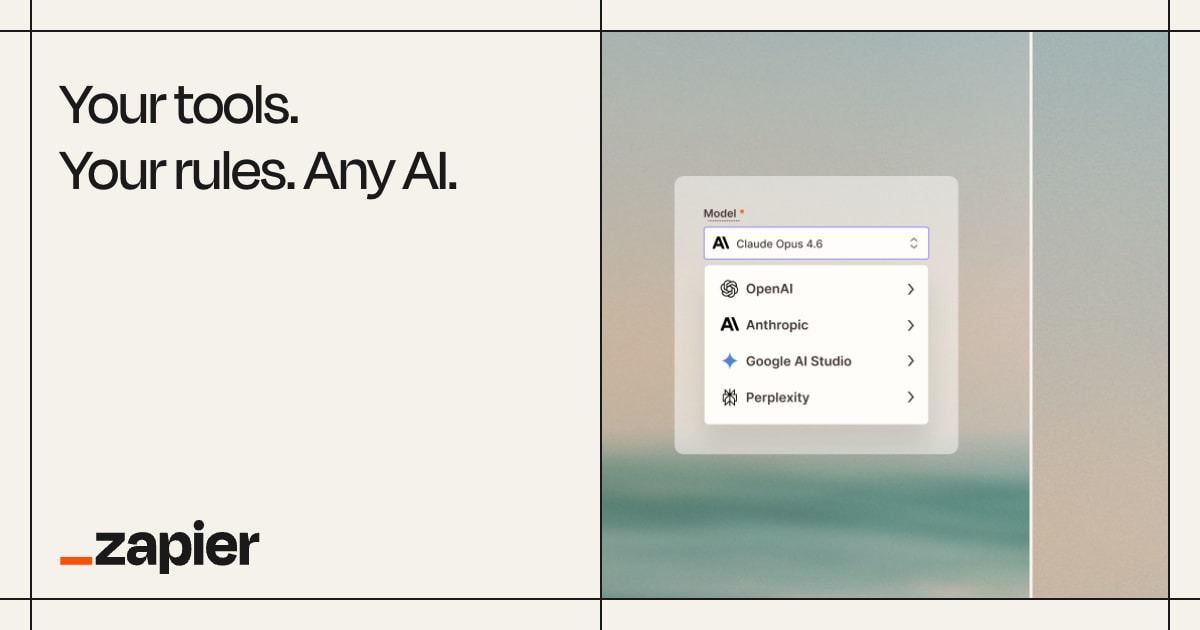
Zapier is a no-code automation platform that connects 7,000+ business applications — including Gmail, Slack, Salesforce, HubSpot, and Shopify — through trigger-and-action workflows called Zaps. The free tier allows 5 active Zaps; the Starter plan at $19.99 per month expands to 20 Zaps with multi-step workflows; the Professional plan at $49 per month allows unlimited Zaps and access to Zapier’s AI features, including AI-powered Zap creation and Zapier chatbots. Zapier’s AI agent capabilities, launched in 2025, allow natural language commands to trigger cross-app automation sequences.
Best for: operations teams and non-technical users that need to automate tasks between existing business software without writing code. Zapier’s 7,000-app library means that most SaaS tools used by a business already have a Zapier integration available.
Limitation: Zapier’s pricing scales with the number of tasks executed per month, not the number of Zaps. High-volume workflows — such as automating every new CRM contact to multiple downstream systems — can exceed plan limits quickly and move into higher pricing tiers.
11. Make.com — Best for Complex Workflow Automation

Make.com (formerly Integromat) is a visual automation platform that uses a drag-and-drop canvas to build multi-branch, conditional workflows called scenarios. The free tier allows 1,000 monthly operations; the Core plan at $9 per month includes 10,000 operations; the Pro plan at $16 per month adds advanced scheduling and data structure tools; the Teams plan at $29 per month includes team collaboration. Make.com supports 1,500+ app integrations and provides more granular data transformation options than Zapier, including JSON parsing, array iteration, and HTTP request modules.
Best for: technical teams and operations professionals who need multi-branch logic — for example, routing incoming form submissions differently based on the field values — at a lower per-operation cost than Zapier. Make.com’s visual canvas makes complex conditional logic easier to audit and modify than a list-based workflow builder.
Limitation: Make.com’s visual interface has a steeper learning curve than Zapier for non-technical users. Teams without a technically proficient operations owner may struggle with the initial setup of complex scenarios.
12. Microsoft 365 Copilot — Best for Microsoft Office Users
Microsoft 365 Copilot is an AI layer built into Word, Excel, PowerPoint, Outlook, and Teams, available as a $30 per user per month add-on to any Microsoft 365 Business or Enterprise subscription. Copilot drafts documents in Word from a prompt, generates Excel formulas and data analysis from natural language, summarizes Teams meetings and drafts follow-up emails in Outlook, and creates PowerPoint decks from a description or an existing document. Copilot originally ran on OpenAI’s GPT-4o, deployed within Microsoft’s enterprise data compliance boundary.
Model choice (August 2026): Microsoft 365 Copilot added 8 features in August 2026, including a model selector that lets users choose GPT-5.6 or Claude for individual tasks inside Word and PowerPoint, according to HubSite365 and Geeky Gadgets. The model selector lets a legal team draft a contract with Claude and a finance team structure a budget summary with GPT-5.6 inside the same Microsoft 365 license, without separate AI subscriptions or API access. PowerPoint Copilot now generates a complete sales presentation, including slide graphics, from a written prompt. A cross-app workflow builder lets teams create multi-step automations across Word, Outlook, and Teams without IT involvement, which places Copilot in competition with standalone automation tools such as Zapier, Make, and Microsoft Power Automate. Copilot connectors now run content crawl and identity crawl in parallel instead of in sequence, which shortens connector setup and keeps indexed SharePoint and Teams data fresher, according to Empowering Cloud. No source reported a Copilot price change alongside the August 2026 update.
Best for: organizations already running Microsoft 365 who want AI productivity tools embedded in the applications employees use daily, without requiring a separate tool adoption. Microsoft 365 Copilot’s enterprise data compliance boundary means company data used in prompts does not leave the organization’s Microsoft tenant.
Limitation: Microsoft 365 Copilot requires an existing Microsoft 365 subscription as a prerequisite. The $30 per user per month add-on is additive to the Microsoft 365 plan cost, making the total per-user price $42.80–$67.80 per month depending on the base plan selected.
AI Analytics and Productivity Tools
AI analytics and productivity tools surface insights from business data, automate knowledge management, and reduce the time spent on meeting documentation. The 3 tools below address Google Workspace integration, internal knowledge retrieval, and meeting intelligence, each serving a distinct data surface.
13. Google Gemini for Workspace — Best for Google Suite Teams

Google Gemini for Workspace is an AI add-on to Google Workspace that integrates the Gemini model into Gmail, Google Docs, Sheets, Slides, and Meet. The Business add-on costs $14 per user per month; the Enterprise add-on costs $22 per user per month. In Gmail, Gemini drafts and summarizes email threads. In Docs, it writes and edits documents from a description. In Sheets, it generates formulas and builds data analysis from natural language queries. In Meet, it produces meeting summaries and action items automatically.
API pricing: Google released Gemini 3.7 Flash on August 13, 2026 at $0.75 per million input tokens and $3.75 per million output tokens, an introductory rate that runs through December 31, 2026 and reverts to $1.50 and $7.50 per million tokens on January 1, 2027 — the standard rate Gemini 3.6 Flash carried at launch. Gemini 3.7 Flash scored 43.6% on FrontierCode 1.1 Main, above Claude Sonnet 5’s 42.7%, and 65.3% on DeepSWE v1.1, up from 49.0% on Gemini 3.6 Flash, according to Google’s announcement. The model accepts a 1-million-token input context, generates up to 64,000 output tokens per request, and is available through the Google AI API and in Gemini Spark. Flash-tier models process the high request volumes that automated agent loops require, so the introductory rate matters to teams running coding or orchestration agents at volume rather than to Workspace seat pricing.
Best for: teams whose entire workflow runs on Google Workspace — Gmail, Drive, Docs, Sheets, and Meet — and who want AI capabilities without switching to a separate tool. Gemini’s context spans the full Workspace environment, so a prompt in Docs can reference content from a linked Drive file without manual copy-paste.
Limitation: Gemini for Workspace does not function as a standalone tool outside the Google Workspace environment. Organizations not on Google Workspace cannot access these AI capabilities.
14. Notion AI — Best for Knowledge Management
Notion AI is an add-on to Notion’s team knowledge management platform that answers questions, summarizes pages, writes drafts, and searches across an organization’s Notion workspace using the workspace’s own content as context. The Notion AI add-on costs $10 per user per month on top of any Notion plan. Notion’s Plus plan starts at $10 per user per month, making the combined cost $20 per user per month for a team with AI features.
Best for: teams using Notion as a central knowledge base — documentation, meeting notes, project wikis, and SOPs — who want AI to retrieve and synthesize that internal content without building a separate retrieval system. Notion AI answers questions grounded in the team’s actual written knowledge, reducing reliance on asking colleagues for documented information.
Agent capability (added August 2026): Notion released a “Meeting note summarized” trigger on August 1, 2026 that runs a Custom Agent automatically the moment an AI Meeting Note finishes. The trigger updates project trackers with meeting decisions, posts a recap with next steps to Slack or email, and turns feedback captured in the notes into tickets. “Custom Agents can now run right after an AI Meeting Note is finished, eliminating the need to manually update status trackers, post recaps to the project channel, or file tickets by hand,” according to the Notion changelog published August 1, 2026. Notion confirmed Slack and email as output channels; the release note did not verify Jira or GitHub for this trigger. The trigger builds on Custom Agents (Notion 3.3, February 2026) and the Developer Platform for AI Agents (May 2026), and requires a paid plan that includes Notion AI. Monday.com, ClickUp, and Asana each offer agents but none fires natively on meeting completion, so Notion is the only tool on this list where a meeting ending is itself the workflow event that starts the agent.
Limitation: Notion AI’s knowledge retrieval is bounded by what has been written in Notion. Teams with documentation scattered across Confluence, Google Drive, and email threads must consolidate content into Notion before AI retrieval becomes useful.
15. Otter.ai — Best for Meeting Transcription and Summaries

Otter.ai is a meeting intelligence tool that transcribes, summarizes, and extracts action items from Zoom, Google Meet, and Microsoft Teams calls in real time. The free tier allows 300 minutes of transcription per month; the Pro plan at $10 per month increases the limit to 1,200 minutes with AI summaries and action item extraction; the Business plan at $20 per user per month adds team-level transcription management and video playback. Otter achieves an average transcription accuracy of 95%, per the company’s published technical documentation.
Best for: sales teams reviewing call recordings, executive assistants distributing meeting notes, and distributed teams that need a searchable archive of every internal and external call. Otter’s integration with Zoom, Google Meet, and Microsoft Teams means transcription begins automatically without a manual recording step.
Limitation: Otter’s transcription accuracy drops measurably in calls with heavy background noise, thick accents, or 4+ simultaneous speakers, which are common in large all-hands meetings and conference recordings.
What Makes a Good AI Tool for Business?
A good AI tool for business reduces the time or cost of a defined work task by at least 25%, integrates with the applications a team already uses, and produces outputs that require minimal human correction before use. The table below scores each category of AI tool on 4 operational criteria to help teams set expectations before adoption.
| Category | Time Saved (typical) | Setup Complexity | Output Accuracy | Free Tier Available? |
|---|---|---|---|---|
| AI Writing (general) | 40–60% on first drafts | Low — prompt and go | High for structure; requires fact-check | Yes (ChatGPT, Claude) |
| AI Writing (marketing-specific) | 50–70% on copy variants | Low–Medium — brand voice setup | High within brand templates | Trial only (Jasper) |
| AI Coding | 20–55% on boilerplate tasks | Low (Copilot/Cursor) to Medium (Claude Code) | High for syntax; review required for logic | Yes (Copilot, Cursor Hobby) |
| AI CRM | 30–40% on pipeline admin | Medium–High — data migration required | Medium — depends on historical data volume | Yes (HubSpot CRM) |
| AI Automation | 70–90% on repetitive tasks | Medium — workflow design required | Very high for rule-based tasks | Yes (Zapier, Make.com) |
| AI Productivity Suite | 20–35% on document tasks | Low — requires existing suite subscription | High for summarization; moderate for generation | No (M365 Copilot, Gemini WS) |
| AI Knowledge/Meetings | 60–80% on note-taking | Low — auto-joins calls | 95% transcription accuracy (Otter.ai) | Yes (Otter.ai free tier) |
Output accuracy in the table above measures interactive use, not automated pipelines. Flask creator Armin Ronacher documented a regression on July 4, 2026 in which Claude Sonnet 5 and Claude Opus 4.8 intermittently invented non-existent schema fields during tool calls, breaking automated workflows that require strict JSON output. Teams that connect an AI tool to production systems should validate every model response against a schema before acting on it, because a tool that scores high on interactive accuracy can still emit malformed structured output.
How to Choose the Right AI Tool for Your Business
The right AI tool for a business depends on which specific work task produces the most wasted time, and whether the team is willing to change tooling or needs AI embedded in existing software. Three decision paths cover most business scenarios.
Teams that spend the most time on content production — writing blog posts, marketing emails, sales decks, or customer documentation — should start with a general-purpose AI assistant such as ChatGPT or Claude before evaluating a marketing-specific tool such as Jasper. The general tools cost less and cover more use cases; a specialized writing tool adds value only after a team has established consistent content output and needs brand-voice control at scale.
Engineering teams that want AI assistance should choose based on autonomy level. GitHub Copilot handles inline suggestions and stays inside the existing editor; Cursor replaces the editor with one where AI is the primary input method; Claude Code removes the editor entirely and operates from a terminal for fully autonomous multi-file changes. The three tools are not directly comparable — they address progressively more autonomous development workflows.
Organizations evaluating AI for operations and productivity should check whether they are already paying for a suite — Microsoft 365 or Google Workspace — before purchasing a separate automation or productivity tool. The $30 per user per month Microsoft 365 Copilot add-on and the $14 per user per month Google Gemini for Workspace add-on both deliver AI inside applications already in daily use, which produces higher adoption rates than introducing a standalone tool employees must remember to open.
Teams that pay per API token, rather than per user seat, should compare model hosting cost separately from tool choice. Chinese AI models — DeepSeek and GLM-5.2 — handled up to 46% of US developer token traffic on OpenRouter in July 2026, up from 11% earlier in 2026. Wafer.ai serves GLM-5.2 on AMD MI355X hardware at 60–90% lower per-token cost than comparable US-hosted models running on NVIDIA Blackwell. A cost gap of that size decides adoption for high-volume workloads such as document classification, support-ticket triage, and bulk content generation.
Enterprises without internal AI engineers can buy deployment services instead of licenses alone. Microsoft launched Microsoft Frontier Company in July 2026 with $2.5 billion in funding and 6,000 engineers dedicated to embedding AI inside enterprise clients, two days after Amazon announced a $1 billion AI field-deployment program. Both programs target the implementation work that follows a purchase decision, which determines whether a licensed tool reaches daily use.
For a comparison of the leading AI model subscriptions — ChatGPT Plus, Claude Pro, and Google AI Ultra — see our ChatGPT Plus vs Claude Max vs Google AI Ultra 2026 comparison.
Frequently Asked Questions
What is the best AI tool for small businesses?
The best AI tool for small businesses is ChatGPT Plus at $20 per month, because it covers writing, research, data analysis, and basic coding tasks from a single subscription. Small businesses that also need workflow automation should add Zapier’s Starter plan at $19.99 per month. This two-tool stack addresses the most common small business time drains — content creation and repetitive task elimination — for under $40 per month.
Are AI tools for business worth the cost?
AI tools for business are worth the cost when the time saved on a specific task exceeds the monthly subscription cost within the first 30 days of adoption. Writing and automation AI tools consistently deliver this break-even point fastest: a marketing manager who uses ChatGPT to reduce blog draft time from 4 hours to 90 minutes saves approximately 10 hours per month — the equivalent of $250–500 in labor at typical knowledge-worker rates, against a $20 tool cost.
Do AI business tools keep company data private?
Enterprise-tier AI tools — including Microsoft 365 Copilot, Google Gemini for Workspace Enterprise, and Salesforce Einstein — process company data within the customer’s dedicated cloud environment and explicitly exclude that data from model training. Consumer and SMB-tier tools, such as ChatGPT Free and Claude Free, may use prompt data to improve models unless the user opts out in account settings. Teams handling sensitive customer or financial data should use enterprise plans with explicit data processing agreements.
What AI tool is best for sales teams?
The best AI tool for sales teams depends on team size and existing CRM. SMB sales teams using HubSpot should adopt HubSpot Breeze AI (included in paid Sales Hub plans) for pipeline automation and email drafting. Teams on Salesforce should use Salesforce Einstein for opportunity scoring and forecasting. Budget-constrained teams on any CRM should use Zoho Zia, which starts at $14 per user per month and provides lead scoring, anomaly detection, and deal predictions from the Standard plan.
Can AI tools replace employees?
AI tools automate specific tasks within a job, not entire roles. According to a 2024 McKinsey Global Institute report, AI automates 60–70% of the time spent on tasks in data collection, basic data processing, and routine communication — but less than 30% of the time spent on tasks requiring judgment, stakeholder management, or novel problem-solving. The roles most changed by AI tools in 2026 are those with the highest proportion of repetitive document production, data entry, and scheduled reporting — not roles requiring strategic decision-making or relationship management.
What is the difference between an AI assistant and an AI agent?
An AI assistant responds to a single prompt and delivers one output in a conversation turn, such as drafting an email or answering a question. An AI agent plans a multi-step task, executes each step using tools — including web search, code execution, file editing, and API calls — and iterates until the task is complete without requiring a prompt at every step. Claude Code and Cursor’s Agent mode are examples of AI agents; ChatGPT’s standard chat interface and Notion AI are examples of AI assistants. For a detailed breakdown of how AI agents work and which tools qualify as agents, see our analysis of agentic AI risks and capabilities in 2026.
