

Last Updated: July 2026
The simplest way to run LLM locally in 2026: install Ollama, pull Qwen3 8B, and start chatting — all in under five minutes. Your prompts never leave your machine, there are no API fees, and a capable 8B model runs at 40–50 tokens per second on any mid-range GPU from 2021 or later.
This guide covers everything you need: the right tool for your setup, which models actually deliver in 2026, and the hardware numbers you need to set realistic expectations.
Quick Comparison: Tools to Run LLM Locally 2026
| Tool | Best For | Interface | Price | Speed vs Raw |
|---|---|---|---|---|
| Ollama | Developers, API access, automation | CLI + REST API | Free (open source) | ~10% overhead |
| LM Studio | Non-coders, GUI exploration | Desktop GUI | Free personal / paid commercial | ~0.3% overhead |
| llama.cpp | Max performance, custom pipelines | CLI (raw) | Free (open source) | 0% (baseline) |
| Jan | Privacy-first desktop users | Desktop GUI | Free (open source) | ~5% overhead |
Why Run an LLM Locally?
Three reasons drive most people to local inference: privacy (prompts never leave your machine), cost (no per-token API fees at scale), and offline access (works behind firewalls, on planes, or in air-gapped environments). The trade-off is a capability ceiling — a 14B local model is good but not Claude Sonnet 5 good. For everyday writing, document Q&A, and code completion it is more than sufficient.
Hardware Requirements
The key spec is memory — VRAM for NVIDIA/AMD GPUs, or unified memory on Apple Silicon. If the model doesn’t fit in GPU memory it offloads to RAM and CPU, dropping speed dramatically.
| Hardware | Memory | Best Model Tier | Expected Speed |
|---|---|---|---|
| CPU only | 16GB+ RAM | Phi-4-mini 3.8B Q4 | 5–8 tok/s |
| RTX 3060 / GTX 1080 Ti | 8–12GB VRAM | Qwen3 8B Q4_K_M | 40–50 tok/s |
| RTX 4070 / RTX 3090 | 12–24GB VRAM | Qwen3 14B Q4_K_M | 33–50 tok/s |
| RTX 4090 / RTX 5080 | 16–24GB VRAM | Qwen3 32B Q4_K_M | 35–70 tok/s |
| Apple M2/M3 Pro (16GB) | 16GB unified | Qwen3 14B Q4_K_M | 30–45 tok/s |
| Apple M3/M4 Max (64GB+) | 64–128GB unified | 70B models | 20–40 tok/s |
Apple Silicon tip: Unified memory means all 16GB is addressable by the model — no separate VRAM limit. Ollama 0.19+ automatically uses the MLX backend on Apple hardware for an extra 15–20% speed boost.
Best Models to Run Locally in 2026
Qwen3 8B — Best All-Rounder (8GB VRAM)
Qwen3 8B is the default recommendation for most users in 2026. It outperforms Llama 3.1 8B on coding, reasoning, and multilingual tasks. At Q4_K_M quantization it fits in ~5GB of VRAM and runs at 40–52 tok/s on RTX 3060/4070 hardware.
- VRAM needed: ~5GB at Q4_K_M
- Speed (RTX 4070): ~52 tok/s
- Cons: Slightly weaker than Llama on some English-only creative tasks
- Pull:
ollama pull qwen3:8b
Qwen3 14B — Best Mid-Range (12–16GB VRAM)
If you have 12GB+ VRAM, Qwen3 14B is the sweet spot. Noticeably smarter than 8B, still interactive at 33 tok/s on an RTX 4070. Handles document summarization, multi-step reasoning, and coding well.
- VRAM needed: ~9GB at Q4_K_M
- Speed (RTX 4070): ~33 tok/s
- Cons: Too large for 8GB VRAM cards without CPU offloading
- Pull:
ollama pull qwen3:14b
Llama 3.1 8B — Best for Ecosystem Compatibility
Meta’s Llama 3.1 8B is the safest choice when you need ecosystem compatibility — supported in every tool, every framework, with the widest range of fine-tuned variants. Slightly behind Qwen3 8B on benchmarks but tooling support is unmatched. VRAM: ~4.9GB at Q4_K_M.
- Cons: Qwen3 8B now edges it out on most benchmarks
- Pull:
ollama pull llama3.1:8b
DeepSeek Coder V2 16B — Best for Code
For code generation specifically, DeepSeek Coder V2 outperforms much larger general models on coding benchmarks. Needs 10–12GB VRAM at Q4_K_M. See also our coverage of DeepSeek DSpark speculative decoding for how to push inference speed further.
- Cons: 16B size means it won’t fit on 8GB cards
- Pull:
ollama pull deepseek-coder-v2
Phi-4-mini 3.8B — Best for Low-End Hardware
Microsoft’s Phi-4-mini is the best model for machines with no dedicated GPU. At Q4_K_M it occupies ~2.5GB and delivers 15–20 tok/s on CPU-only hardware. For simple Q&A and summarization on constrained devices, nothing else comes close.
- Cons: Limited reasoning depth vs larger models
- Pull:
ollama pull phi4-mini
Gemma 4 12B — Best Multimodal Option
Google’s Gemma 4 12B supports image inputs alongside text and fits in 8GB VRAM at Q4_K_M. Currently the best option if you need multimodal capability locally. Read our Gemma 4 12B breakdown for full benchmark details.
Tools Deep Dive
Ollama
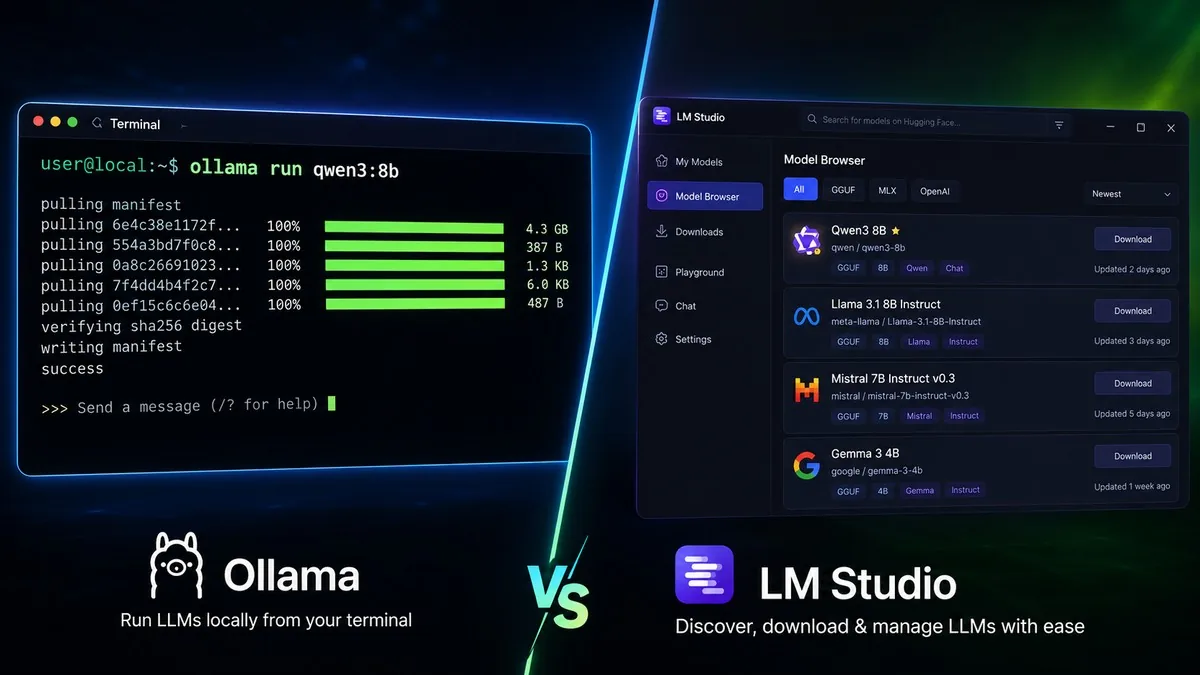
Ollama wraps llama.cpp (x86) or MLX (Apple Silicon) behind a Docker-style CLI and exposes an OpenAI-compatible REST API at localhost:11434. Any app that calls the OpenAI API can call Ollama instead with a one-line config change.
Pros: One-line install · OpenAI-compatible API · Official Docker image · 200+ model library
Cons: CLI-only · ~10% speed overhead · New llama.cpp optimizations take 1–4 weeks to surface
Best for: Developers who need to script, automate, or build apps on top of local inference. Pair it with an AI coding assistant for a full local development stack.
LM Studio
LM Studio is a polished desktop app with a built-in Hugging Face model browser that recommends quantization levels based on your hardware. Version 0.4.2 added continuous batching, making it viable for light multi-user workloads. Performance overhead is just 0.3% vs raw llama.cpp — essentially free for the convenience.
Pros: No terminal required · Smart quantization recommendations · Built-in chat + OpenAI server · Near-zero overhead
Cons: Commercial use requires paid licence · Heavier on system resources than headless Ollama
Best for: Researchers, writers, and anyone who wants a GUI experience with zero terminal friction.
llama.cpp
llama.cpp is the C++ inference engine that Ollama and LM Studio are both built on. Running it directly gives you absolute maximum speed and access to new quantization formats (IQ4_NL, etc.) within days of research paper releases rather than weeks.
Pros: Fastest possible speed · Cutting-edge quantization formats first · Full control over every inference parameter · CPU, CUDA, Metal, ROCm, Vulkan backends
Cons: Requires building from source · Manual GGUF file management · Steeper learning curve
Best for: Power users squeezing every token per second out of hardware, or developers building custom inference pipelines.
Quickstart: Run LLM Locally 2026 with Ollama (5 Minutes)
Step 1 — Install:
curl -fsSL https://ollama.com/install.sh | shStep 2 — Pull your model:
# 8GB VRAM or Apple Silicon 8GB
ollama pull qwen3:8b

# 12–16GB VRAM
ollama pull qwen3:14b

# CPU-only / under 8GB RAM
ollama pull phi4-mini
Step 3 — Run it:
ollama run qwen3:8bStep 4 — Call the API:
curl http://localhost:11434/api/chat -d '{
  "model": "qwen3:8b",
  "messages": [{"role":"user","content":"Explain quantization in one paragraph"}]
}'
To use any OpenAI-compatible app with Ollama, set the base URL to http://localhost:11434/v1 — no other changes needed.
For browser-based inference without any install, see our guide on WebLLM and in-browser AI.
For most people in 2026, Ollama + Qwen3 8B is the right answer. Setup takes five minutes, the model is genuinely capable, and OpenAI API compatibility means you can drop it into existing workflows without rewriting anything. If you hit the 8B capability ceiling, upgrade to Qwen3 14B before buying new hardware — the quality jump is significant. Only reach for raw llama.cpp if you’re benchmarking or need the latest quantization formats before Ollama ships them.
Frequently Asked Questions
What is the minimum hardware to run an LLM locally?
Any modern laptop with 8GB RAM can run Phi-4-mini 3.8B on CPU at 5–8 tok/s. For a practical daily-driver experience, an 8GB VRAM GPU (RTX 3060 or better) is the real minimum — it runs Qwen3 8B at 40–50 tok/s, which feels responsive for chat.
Is Ollama free to use commercially?
Yes. Ollama is MIT licensed and free for all uses including commercial. LM Studio is free for personal use but requires a paid licence for commercial deployment. llama.cpp is also MIT licensed and free for all uses.
How does a local 14B model compare to ChatGPT?
A well-tuned 14B model in 2026 is roughly comparable to GPT-3.5 on everyday tasks — solid for writing, summarization, coding assistance, and document Q&A. For frontier reasoning or complex multi-document analysis, cloud models still have a clear edge. The gap is closing but hasn’t closed.
What is Q4_K_M quantization?
Quantization reduces a model’s numeric precision from 16-bit floats to smaller integers, shrinking file size and VRAM usage with minimal quality loss. Q4_K_M is the recommended starting point — it cuts VRAM roughly in half vs FP16 with only a ~2–3% quality drop. Q5_K_M recovers a bit more quality if you have spare VRAM. Avoid Q2 unless severely constrained — quality degradation is noticeable.
Can I run multiple models simultaneously?
Yes, if you have sufficient VRAM. Ollama keeps models resident in memory until explicitly unloaded — on a 24GB GPU you could run Qwen3 8B and Llama 3.1 8B at the same time. LM Studio 0.4.2 also supports continuous batching for multi-user workloads on a single machine.
